03 Controls
03
19
Controls - remote control
The remote control can be used to operate
several different functions in the car - only the
related navigation system is described here.
•
Point the remote control at the centre
console during use.
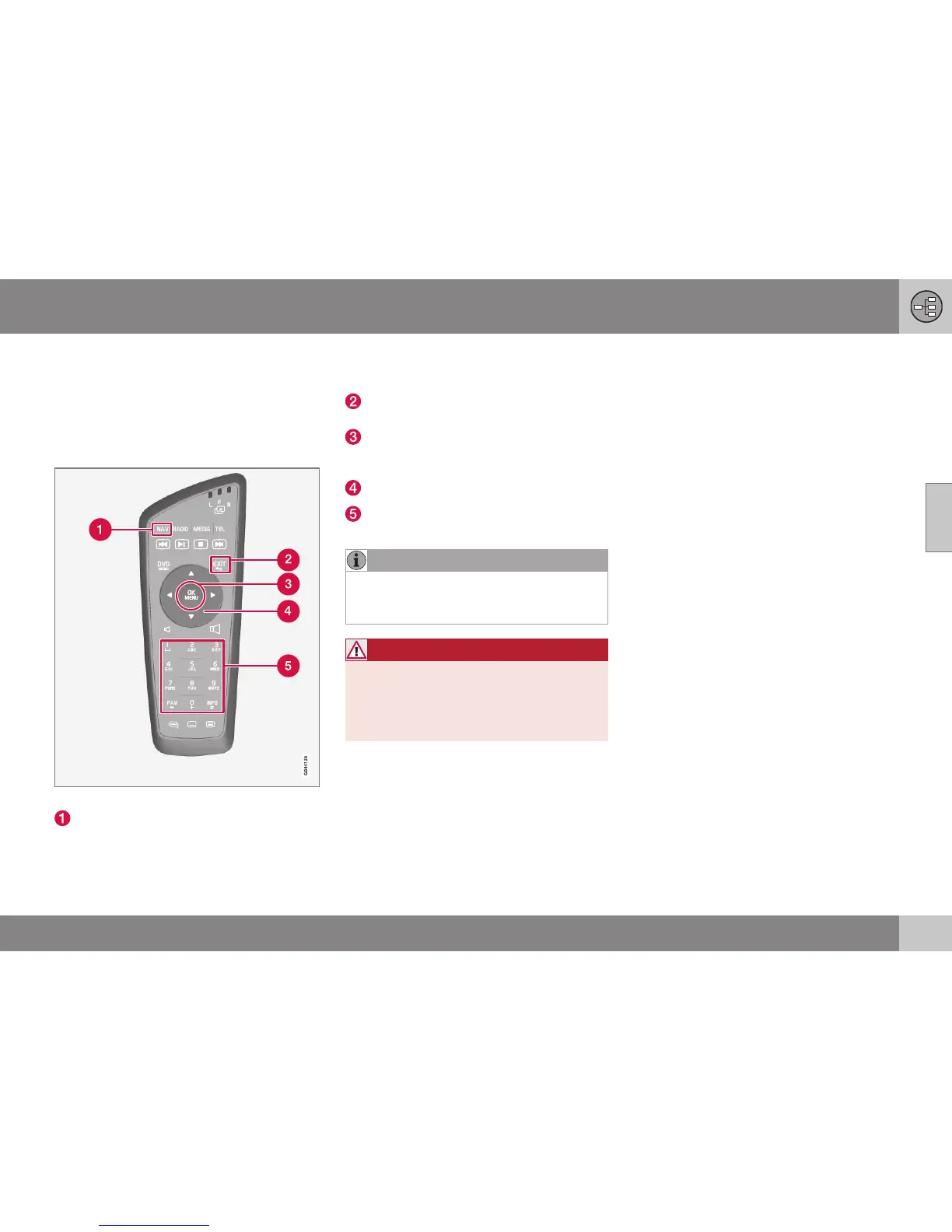
Remote control keypad.
NAV activates the GPS navigator on the
screen. With GPS activated, a quick
menu opens/closes. For more informa-
tion, see (p. 34).
EXIT goes back in the menu structure or
undoes a selection.
OK/MENU confirms or activates a selec-
tion. Described in this manual with the
"OK button" or "+ OK".
Arrow keys move the menu cursor.
Numerical keys enter data for address
and name search, and scroll on the map.
NOTE
If the remote control does not work, try
replacing with new AA/LR6 batteries first
of all.
WARNING
Store the remote control and other similar
objects in one of the storage compart-
ments - in the event of sudden braking or
a collision such objects could cause per-
sonal injury or material damage.



 To Next Page