||
08 Specify a destination
08
42
The option to store a position such as
"
Home" is shown each time a position is due
to be saved:
•
Highlight
Save location as home + OK.
To activate an Itinerary with destination
"
Home":
•
Highlight
Set destination Home + OK
- guidance starts.
Related information
•
General information about entering a des-
tination (p. 41)
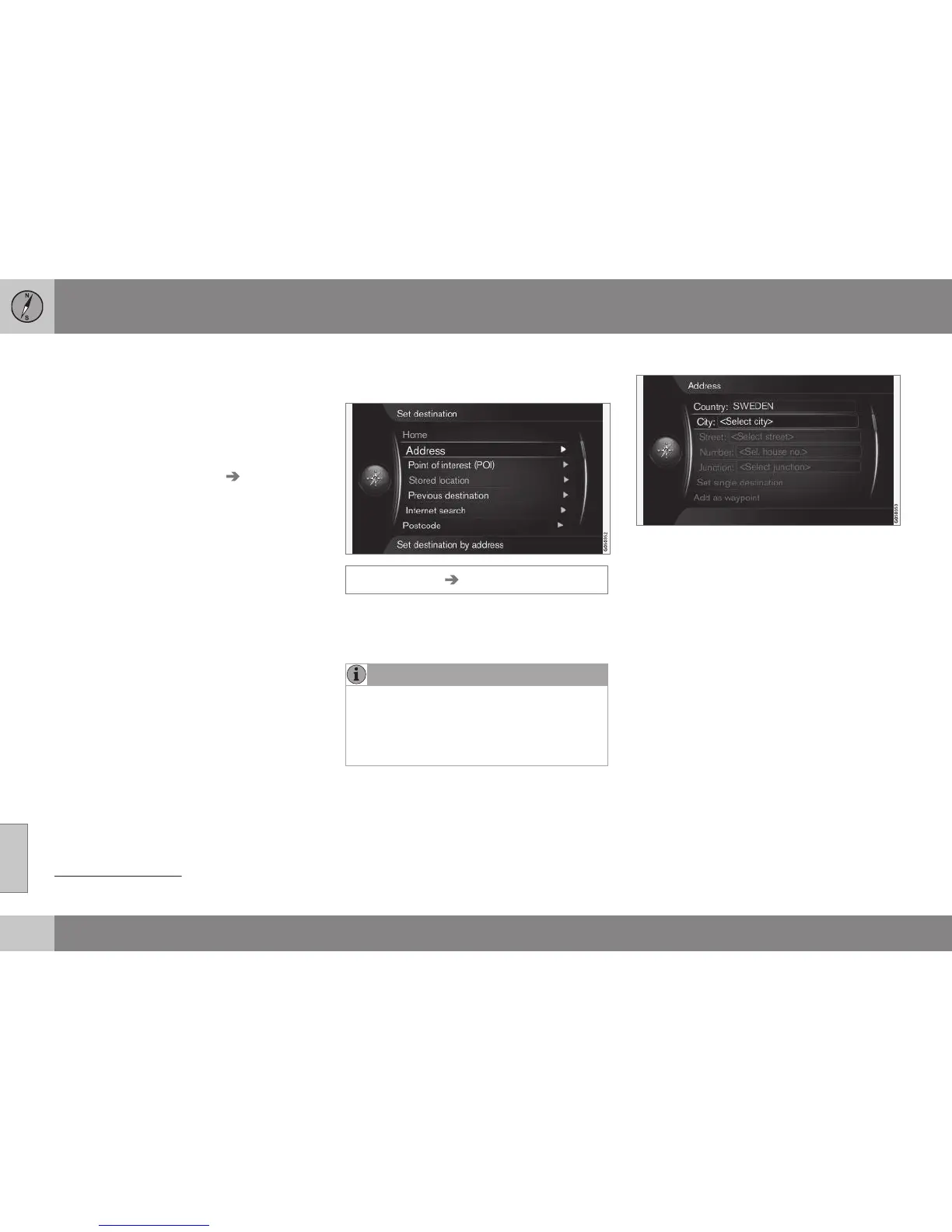
Search via Address
Enter destination via search on an address.
Set destination Address
It is sufficient to only enter a city/town in
order to obtain an itinerary with guidance - it
guides to the centre of the city/town.
NOTE
The definition of city or area may vary from
country to country and even within the
same country. In some cases, it refers to a
municipality and in others it refers to a dis-
trict.
Country, city/town and street
How to search and locate a destination with
address
1
:
1. With the previous image view on the
screen, press OK to activate the preset
text field - the daisy wheel (p. 27) is
shown.
2.
Enter the name of the city/town in
City:
with the daisy wheel or the centre con-
sole's numerical keypad, see (p. 18).
3.
Then select
Street: with TUNE + OK and
repeat the procedure.
The following search criteria can be used:
•
Country: - Enter a country.
•
City: - Enter a district/city.
•
Street: - Enter the street address.
•
Number: - Select one of the street's
house numbers.
1
For information about how characters are typed/entered into the text fields, see Entering and selecting options (p. 27).



 To Next Page