09 Itinerary
09
}}
51
Itinerary - general
Arrange an itinerary and start guidance to
navigate to a desired destination.
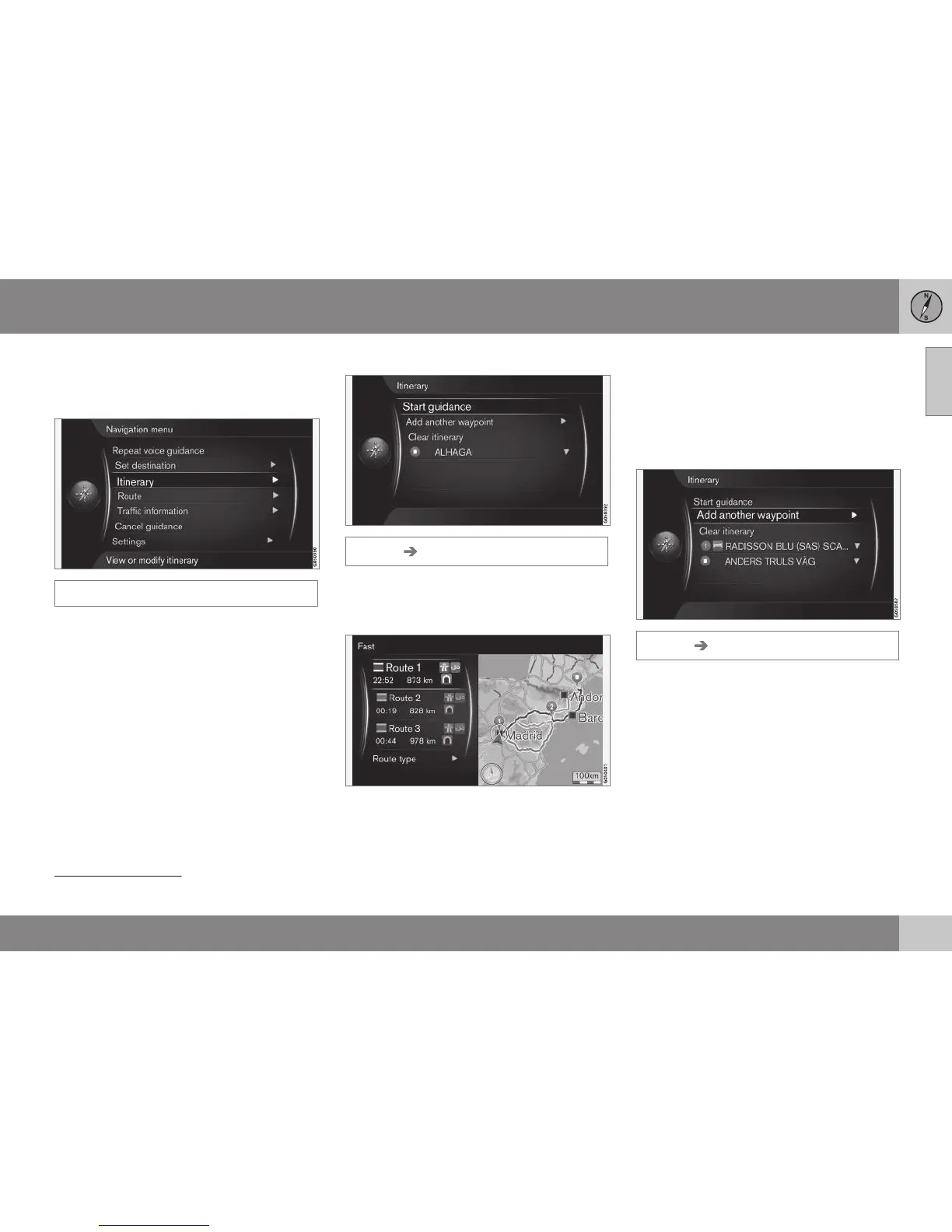
Itinerary
An Itinerary is created when a destination is
saved. The system handles one itinerary at a
time with a maximum of 4 intermediate desti-
nations.
Start guidance
Itinerary Start guidance
Cursor on Start guidance + OK activates
current itinerary and guidance is started.
Route proposals
3 alternative itineraries.
If the
Route proposals
1
function is preset
with the value "3" - which means that 3 alter-
native itineraries are shown - the driver must
first select one of them before guidance
starts, see (p. 54).
Add destination
If you want to make a journey in stages then
up to 4 "intermediate stops"/intermediate
destinations can be added to the itinerary.
Itinerary Add another waypoint
Cursor on Add another waypoint + OK
leads to the main menu in order to enter des-
tination (p. 41).
1
See (p. 59).



 To Next Page