07 Menus
07
34
General information about menus
The navigation system's menus consist of
Shortcuts, Main menu and Scroll menu. Rela-
ted options are presented under each menu.
NOTE
Greyed-out menu bars/options on the
screen are temporarily not selectable.
Additional information
NOTE: The figure is schematic - details may vary
depending on car model and market.
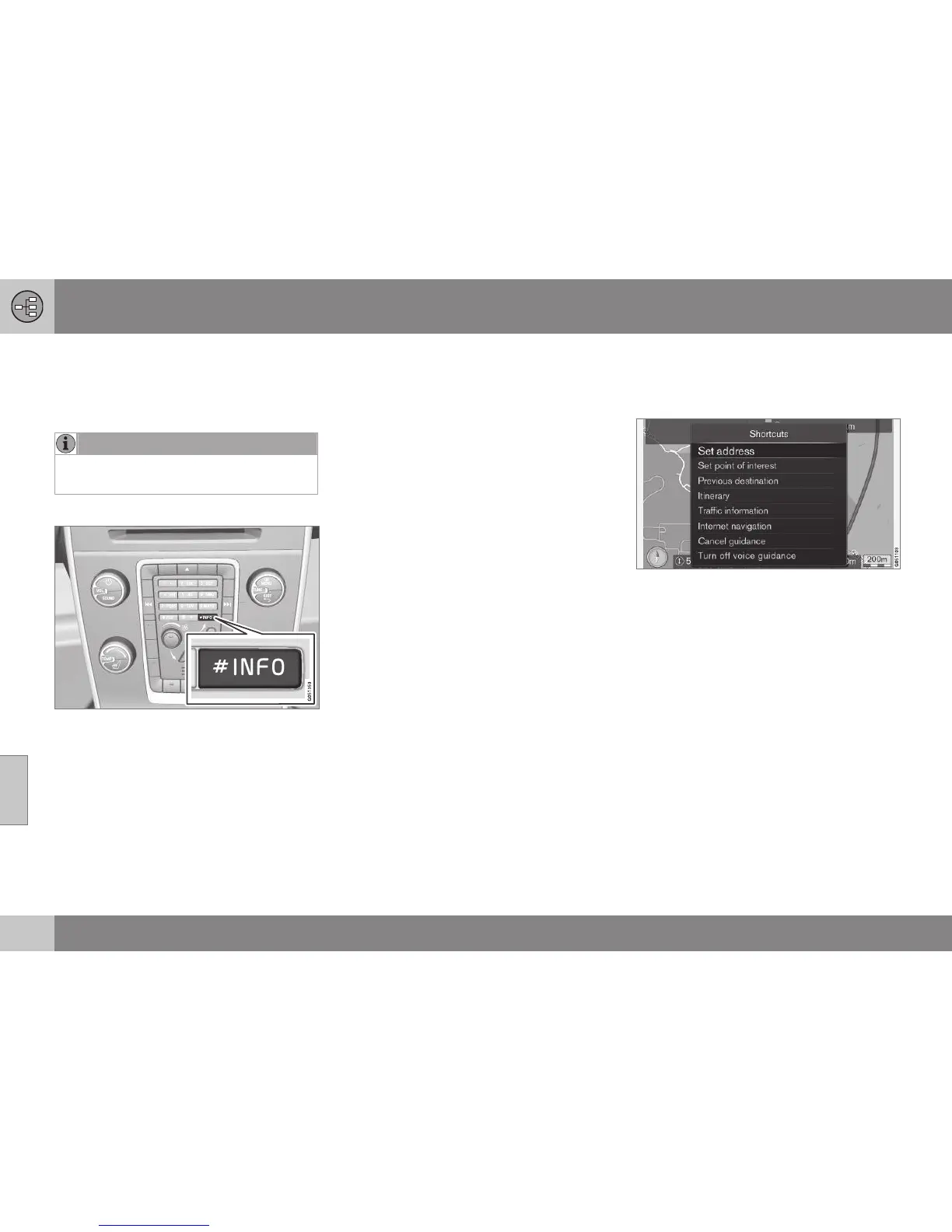
Sometimes there is more information availa-
ble than can fit on a menu bar - the text line
then ends with the character: "#".
To view the rest of the information:
•
Press the INFO button.
Related information
•
Shortcuts (p. 34)
•
Main menu (p. 35)
•
Scroll menu (p. 36)
•
Menu tree (p. 37)
Shortcuts
The navigation system has a menu with short-
cuts to the most frequently used functions.
To Shortcuts from map mode
•
Press the NAV button.
To Shortcuts from another menu
•
Press the NAV button twice.
The shortcuts are:
•
Set address - see (p. 42).
•
Set point of interest - see (p. 44).
•
Previous destinations - see (p. 46).
•
Itinerary - see (p. 51).
•
Traffic information - see (p. 74).
•
Internet search - see (p. 46).
•
Cancel guidance - cancels/pauses the
current itinerary. The menu bar then



 To Next Page