11 Settings
11
}}
65
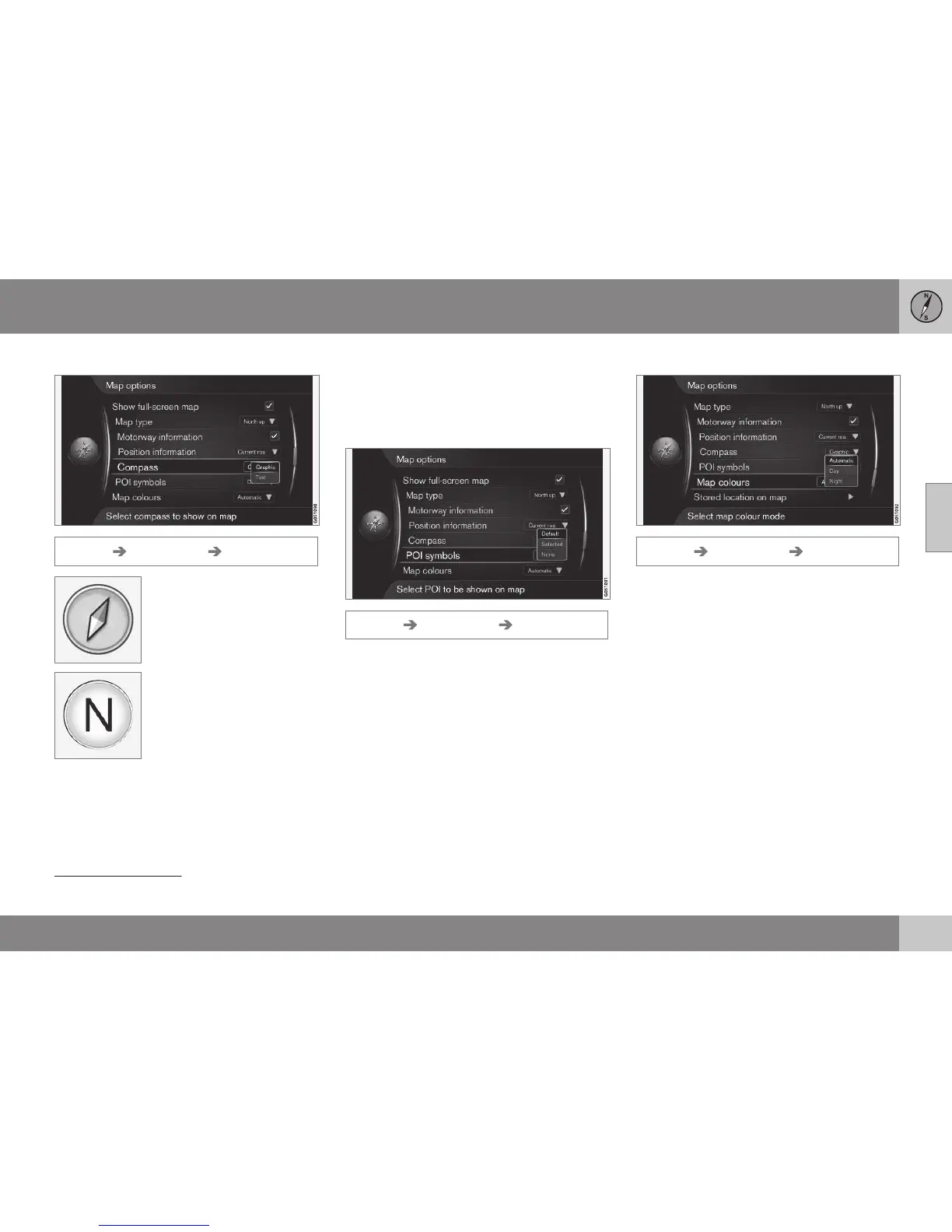
Compass
Settings Map options Compass
Select whether the compass
direction (the direction in
which the front of the car is
pointing) on the screen's
map image should be shown
with a compass needle or
with letters.
•
Graphic + OK - a symbol indicates the
compass direction.
•
Text + OK - the letters N for north, W for
west, S for south or E for east indicate
compass direction.
The map image's compass direction - north
or direction of travel upward on the screen -
can also be adjusted, see earlier heading
"Map mode compass direction".
POI
6
on map
Settings Map options POI symbols
This is where to specify which POI should be
shown on the map. Activate the desired
option with OK.
•
Default - POI specified with the function
Selected is/are shown.
•
Selected - select with the TUNE knob +
OK for each POI required on the screen.
•
None - no POI is/are shown.
For examples of POI, see Points of Interest
(POI) (p. 79).
Map colours
Settings Map options Map colours
Activate the desired option with OK.
•
Automatic - a light sensor detects
whether it is day or night and adapts the
screen automatically.
•
Day - the colours and contrast of the
screen become clear and sharp.
•
Night - the colours and contrast of the
screen are adapted to provide the driver
with optimum night vision.
6
POI – Point of interest. Also denominated as "point of interest" and "facility".



 To Next Page