IMPACT
®
4000
24 25
Profile Selection
The Impact
®
4000 comes with ten common
default Ballistic Profiles. The profiles can be used as
is or customized to reflect your specific rifle and
bullet combination.
The default profiles include .308 Winchester, 6.5
Creedmoor
®
, .223/5.56, .30-06, .300 Winchester
Magnum, .270 Winchester, 7mm Remington Magnum,
.243 Winchester, .22-250 Remington, .22 Long Rifle.
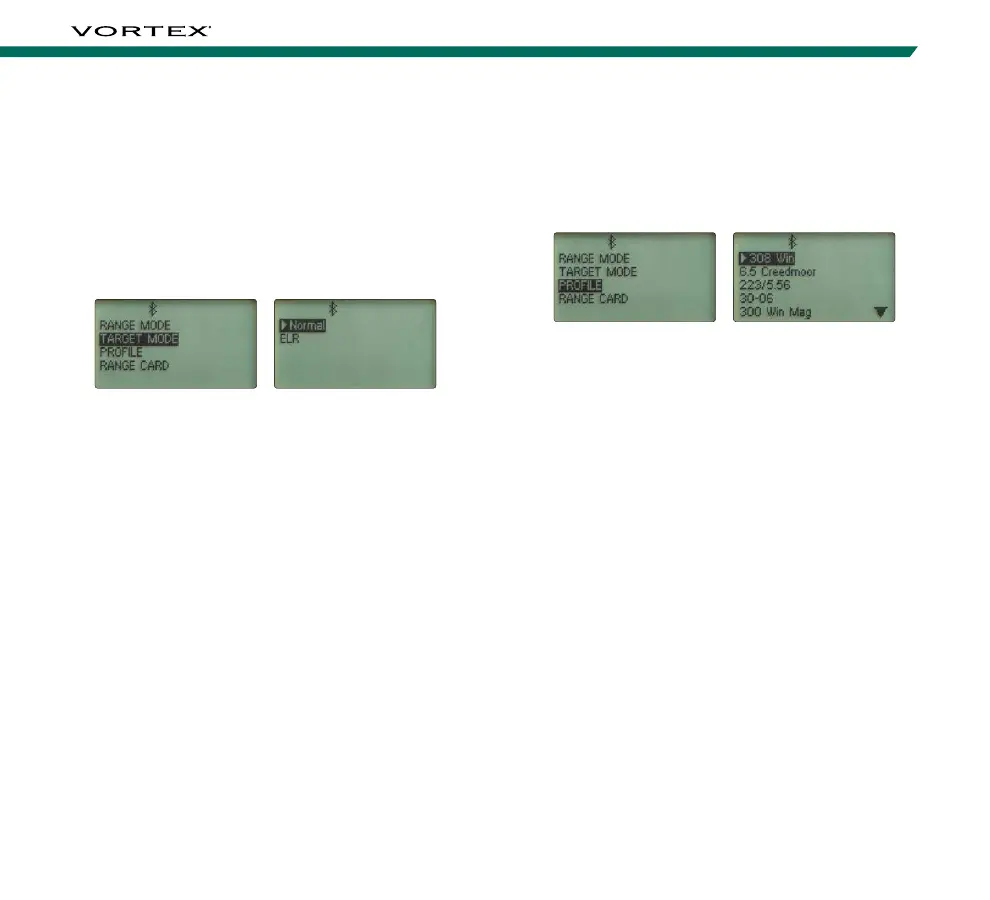
On the Setup Menu screen, toggle to and select
“Profile”. You can choose between the ten ballistic
profiles. The selected profile will be designated with
an arrow.
To edit a profile, ensure it is designated with the arrow
and then select it. You are able to customize the Bullet
information, Rifle information, or Rename the profile.
Target Mode Selection
The Impact
®
4000 provides two target modes:
Normal Mode and Extended Laser Range (ELR) Mode.
On the Setup Menu screen, toggle to and select
“Target Mode”. You can choose between Normal and
ELR Mode. The selected mode will be designated with
an arrow. Return to the Setup screen and continue to
Profile Selection.
Normal Mode
The Impact
®
4000 comes preset to Normal Mode.
This is the standard mode providing the target’s range
with the strongest range result. Normal Mode is the
recommended target mode for most situations.
Extended Laser Range (ELR) Mode
This mode allows for ranging smaller, less reflective
targets at extended distances. It is ideal for ranging
when Normal Mode is unable to obtain a desired range.
A longer response time may be required to receive the
desired range.



 To Next Page