IMPACT
®
4000
36 37
View
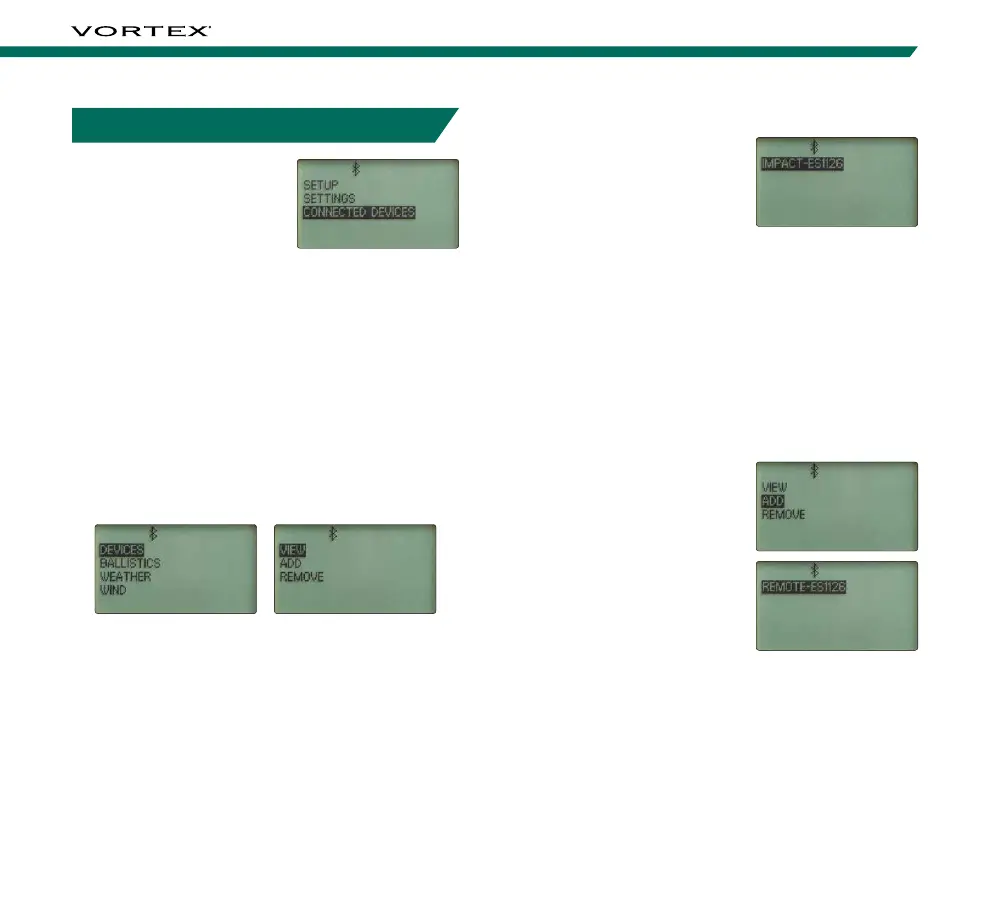
On the View screen, you
can view which devices are
currently connected via the
Vortex Relay
™
Network. To
show up on the network, the
devices must be previously
added and turned on. When you select a device, you
can see the latest firmware and software information
by pressing the “Right Arrow Button”.
Note: A network is a group of devices and mobile applications
that communicate to each other. Devices can only be
connected to one network at a time.
Note: On the Range Ready screen, the Bluetooth
®
icon will
change to a number to indicate how many devices are on the
network. A “1” indicates that the Impact
®
4000 is the only
device on the network. A “4” would indicate that 3 other
devices are on the network with the Impact
®
4000.
Add
The Add screen is where
you can add devices to
your network. The Impact
®
4000 will automatically find
all compatible devices on
the Vortex Relay
™
Network
that are turned on and
within Bluetooth
®
range
(approximately 30 feet) that
are not already connected to another network. Select
the device from the list that you wish to add. When the
new device joins the network, if the profile or range
cards are different, you will be asked on both devices
which device’s information should be used. Repeat to
add any additional devices.
Note: When adding a Bluetooth
®
Remote to your Impact
®
4000 device, it will automatically pair and control your device.
CONNECTED DEVICES MENU
The Impact
®
4000 can
connect with the
GeoBallistics
®
App for quick
customization and to the
included Bluetooth
®
Remote
for easy adjustments without
leaving the shooting position via the Vortex Relay
™
Network. To manage connected devices, navigate to
and select “Connected Devices” from the Main Menu.
Note: The Impact
®
4000 can operate as a stand-alone device.
Connection to other devices such as the GeoBallistics
®
App
and the Bluetooth
®
Remote are not required.
Devices
The Devices screen allows you to view, add, or remove
devices and connect your Bluetooth
®
Remote to the
devices you’d like for it to control.



 To Next Page