IMPACT
®
4000
32 33
Backlight Selection
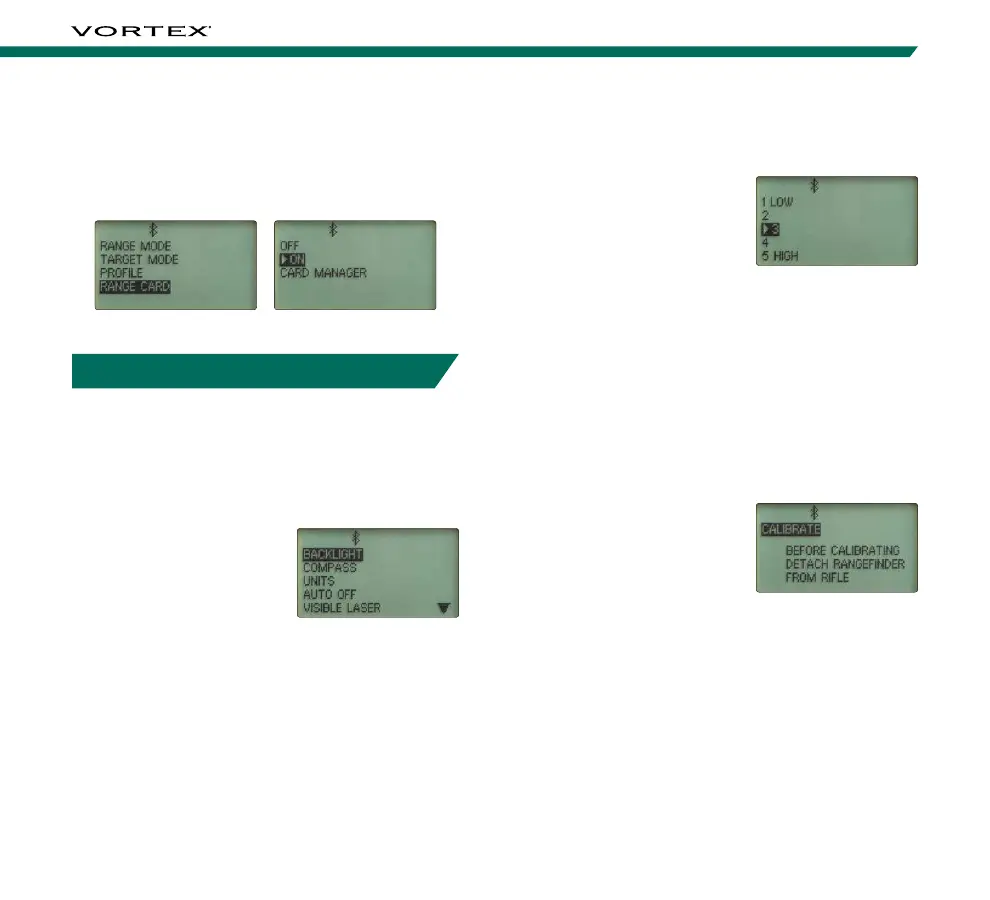
Choose Between Five Brightness Settings
The Impact
®
4000 features
five Backlight brightness
settings. Toggle through the
five settings and select your
desired brightness level.
Return to the Settings Menu.
Note: This adjusts the brightness of the Backlight. To turn
the Backlight on/off, press the “Backlight” button under the
Display Screen on the Impact
®
4000.
Compass
The Impact
®
4000 compass needs to be calibrated
during initial setup and should be re-calibrated every
time you significantly change location, typically 30
miles or more. Calibrate your Impact
®
4000 outside
and away from large metal structures or objects.
For instructions on how to
calibrate your Impact
®
4000
see the “Calibrating the
Compass and Inclinometer”
section on pages 13-16.
Note: You need to remove the Impact
®
4000 from your rifle
before calibrating.
To turn OFF the Range Card, press the “Settings”
button to return the Main Menu, select “Setup”, toggle
to and select “Range Card” and toggle to and select
“OFF”. Return to the Main Menu and continue to
adjust the Impact
®
4000 Settings.
SETTINGS MENU
Changing Settings on the Impact
®
4000
The Impact
®
4000 is factory set to Brightness Level 3,
Standard Units, Auto-Shutoff set to 3 minutes and the
Visible Laser set to OFF.
To Change Settings:
Press the “Settings”
button to open the Main
Menu. Navigate to and
select “Settings” to open
the Settings Menu. In the
Settings Menu, you can
access Backlight, Compass, Units, Auto-Shutoff and
Visible Laser settings. This menu is also where you can
reset your device to factory settings.



 To Next Page