IMPACT
®
4000
34 35
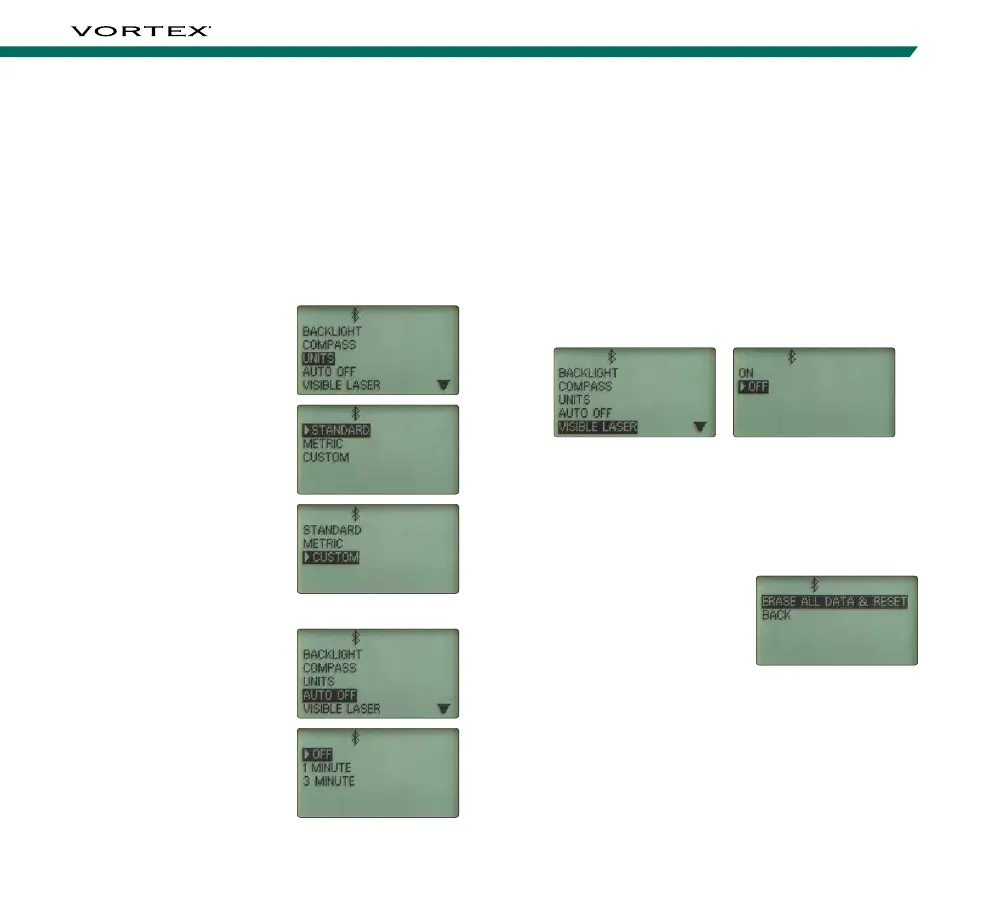
Visible Laser Selection
The Impact
®
4000 comes equipped with a Visible
Laser to be used for zeroing the rangefinder. The
Visible Laser Switch must be enabled on the side of
the rangefinder using the included Torx
®
T-10 Tool to
function. If the Visible Laser is ON, the red alignment
laser will turn on. The use of the Visible Laser is only
permitted for zeroing. No range or ballistic solutions
can be calculated while the Visible Laser is ON. Return
to the Settings Menu. Turning the Visible Laser Setting
to OFF will re-enable ranging functions of the device.
Reset Selection
The Reset screen can be
used to restore the Impact
®
4000 to factory settings.
Select “Erase All Data
& Restore” to reset the
device. Press the “Setting”
button to return to the Main
Menu and continue on to
Connective Devices.
Note: This will clear your range cards, weapons profiles, and
all other selections made. If you wish to save a copy of your
range cards and profiles prior to performing this step, make
sure to sync your device with the GeoBallstics
®
App.
Unit Selection
The Impact
®
4000 offers the selection of standard or
metric units. This will set all applicable Riflescope
Units, Weather Units, and Distance Units to that
unit of measure. To customize each unit individually,
navigate to and select “Custom”. Press the “Right
Arrow” button to open the Custom screen, where
you can edit Riflescope Units, Weather Units, and
Distance Units independently. To change the unit of
measure, navigate to the
unit you’d like to change,
press the “Right Arrow”
button to select the current
unit of measure, then use
the Up and Down Arrow
Buttons to toggle through
the unit options. Once you
have selected your desired
unit of measure, press the
“Left Arrow” button to
return to the list. Repeat
until all units are set to
your preferences. Return to
the Settings Menu to adjust
the Auto-Shutoff settings.
Auto-Shutoff Selection
The Impact
®
4000 offers
two Auto-Shutoff options: 1
minute and 3 minutes. It is
also possible to turn off the
Auto-Shutoff feature. Once
you have made your desired
selection, return to the
Settings Menu.



 To Next Page