IMPACT
®
4000
28 29
Muzzle Velocity
Muzzle Velocity (MV) is the projectile’s speed as it
leaves the muzzle. You can find this information on
the packaging from most ammunition manufacturers,
or their websites. We highly recommend that you
use a chronograph to verify this information. The
measurement units can be set to standard (ft/s) or
metric (m/s) in the Settings Menu.
An MV Temp Table can be input via the GeoBallistics
®
App. Scan the QR code on page 6 to see the Full
Product Manual for directions on how to do so. If an
MV Temp Table is active, the calculated MV will be
displayed with a T preceding it. Ex: T2743.
Sight Units
Choose the Sight Units you would like to have your
drop chart displayed with MRAD, MOA, or inches.
This information will be based off the angular unit of
measurement your riflescopes turrets and reticle are
laid out in.
Renaming a Ballistic Profile
To rename the Ballistic Profile, toggle to and select
“Rename”. Use the left and right arrow buttons to
select which character to change and the up and down
arrow buttons to toggle through the keyboard options.
After renaming the profile, return to the Setup screen.
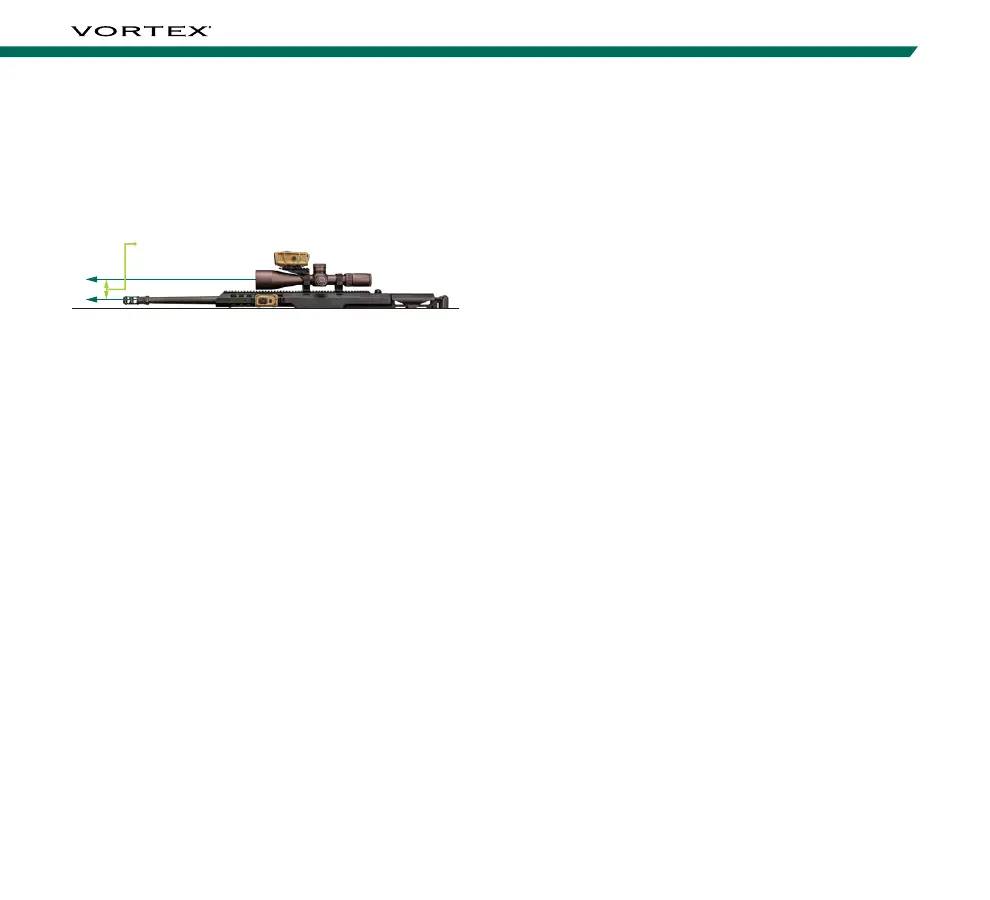
Sight Height
Height from the center of the rifle bore to the center
of the optic. The measurement units can be set to
standard (inches) or metric (centimeters) in the
Settings Menu.
Sight Height
Zero Range
The distance at which you have zeroed your rifle. The
measurement units can be set to standard (yards) or
metric (meters) in the Settings Menu.
Barrel Twist Rate
Barrel Twist Rate is the distance covered for each
revolution of the bullet within the barrel. For example,
if your barrel is denoted as “1:8”, this means the
bullet will complete one full rotation every 8 inches
and you should enter “8” into this space. This
information may be marked on the rifle barrel, or on
the manufacturer’s website. Update the Twist Rate to
match your rifle.
Note: If your barrel has a left-hand twist, you must enter the
Twist Rate via the GeoBallistics
®
App and denote it with a
negative or minus sign. A negative sign will then be displayed
before the Twist Rate on the device. If you cannot find the
twist rate for your barrel, we recommend inputting 10.



 To Next Page