TEBS E
10
Operation
177
Button
symbol
Function
Immobilizer
When the immobilizer is activated, all other functions of the Trailer Remote Control are deactivated. The symbol
for the immobilizer flashes.
Activation: Touch button.
Deactivation/activation by PIN entry
Requirements: Parking brake is activated (setting with a parameter, applies for deactivation)
Call PIN input mask: Touch the button > 2 seconds.
Beep as confirmation
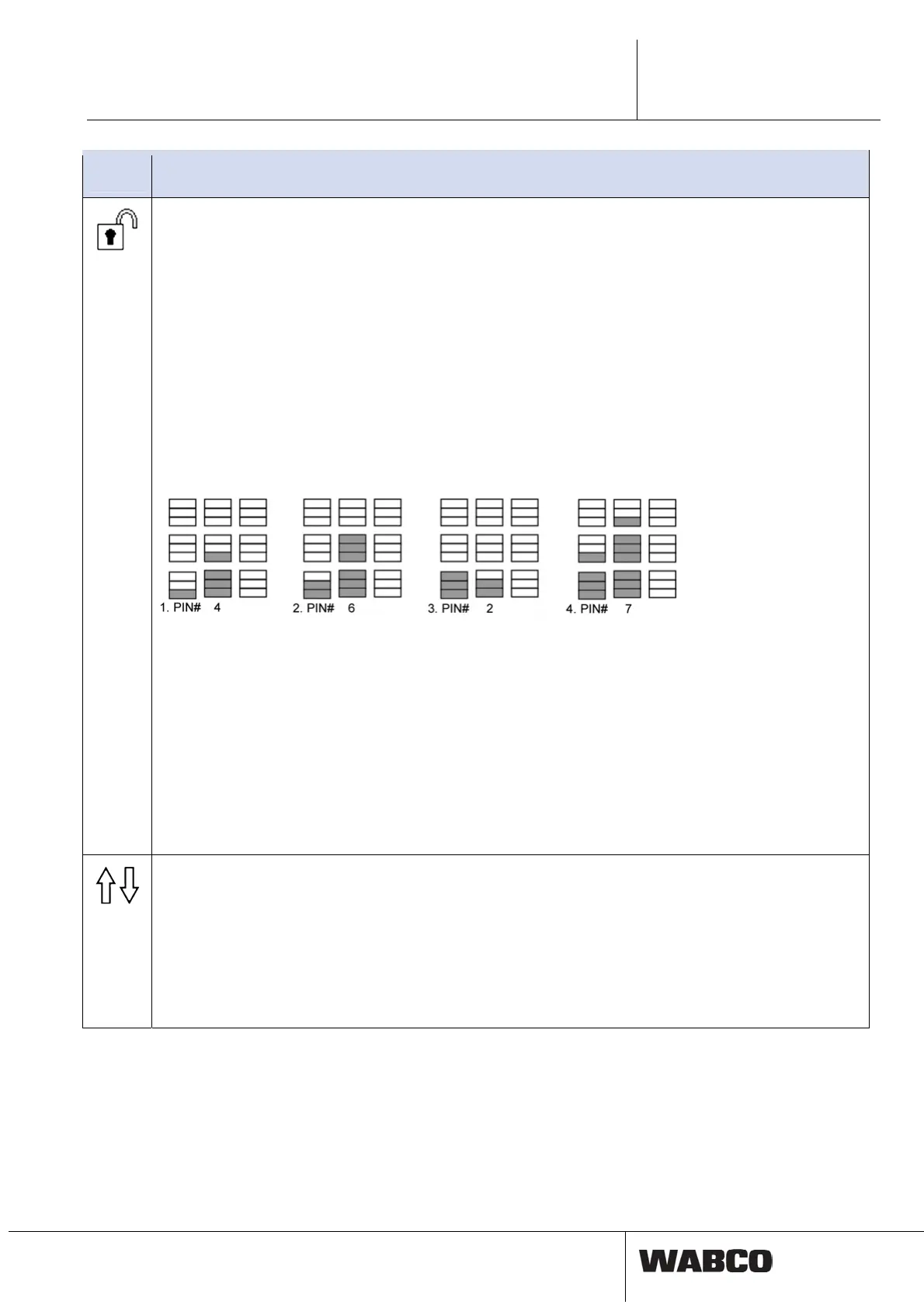
The left LED row indicates which position of the PIN is changed.
Change positions: Touch F1 button.
In the middle LED row, the value of the number of the PIN is shown and is set with buttons F2 and F5.
After successfully entering the 4-digit PIN: Touch the button > 2 seconds.
2 long beeps as confirmation and changing the immobilizer icon.
Example: PIN entry 4627
Reasons for faulty activation/deactivation (4 short beeps, immobilizer symbol remains unchanged):
•
If no entry is made within 5 seconds or the F3 button is actuated, the PIN entry mask disappears - without
saving.
•
The parking brake is not engaged although the parameter settings specifies that the immobilizer can only be
released if the parking brake is activated.
If the activation/deactivation of the immobilizer function is not possible because the PUK was requested or a tech-
nical fault exists, access to the PIN entry mask is not possible. Instead, an acoustic response occurs (4 short
beeps).
Activation/deactivation with stored PIN
The last entered PIN is saved in Trailer Remote Control.
Activation: Touch the button > 5 seconds.
Disabling: Touch the button > 5 seconds again.
ECAS 2-point control (version ELEX1 or higher)
From TEBS E2.5, separate right/left and front/back control is possible if ECAS 2-point control is installed.
The structure can be completely lifted or lowered by just actuating the Lifting/Lowering button.
To carry out separate control, you must switch to a separate menu where the Lifting/Lowering button is actuated
for more than 2 seconds.
Switch between the two circuits (front/back or left/right): Button F2 or button F5.
The ‘dead-man's safety system’ parameter in the level control field also functions in the Trailer Remote Control.
The selected circuit flashes in the display.



 To Next Page