5-30 BA E14 track en* 1.3 * E14t_13_510.fm
5 Operation
Proportional controls
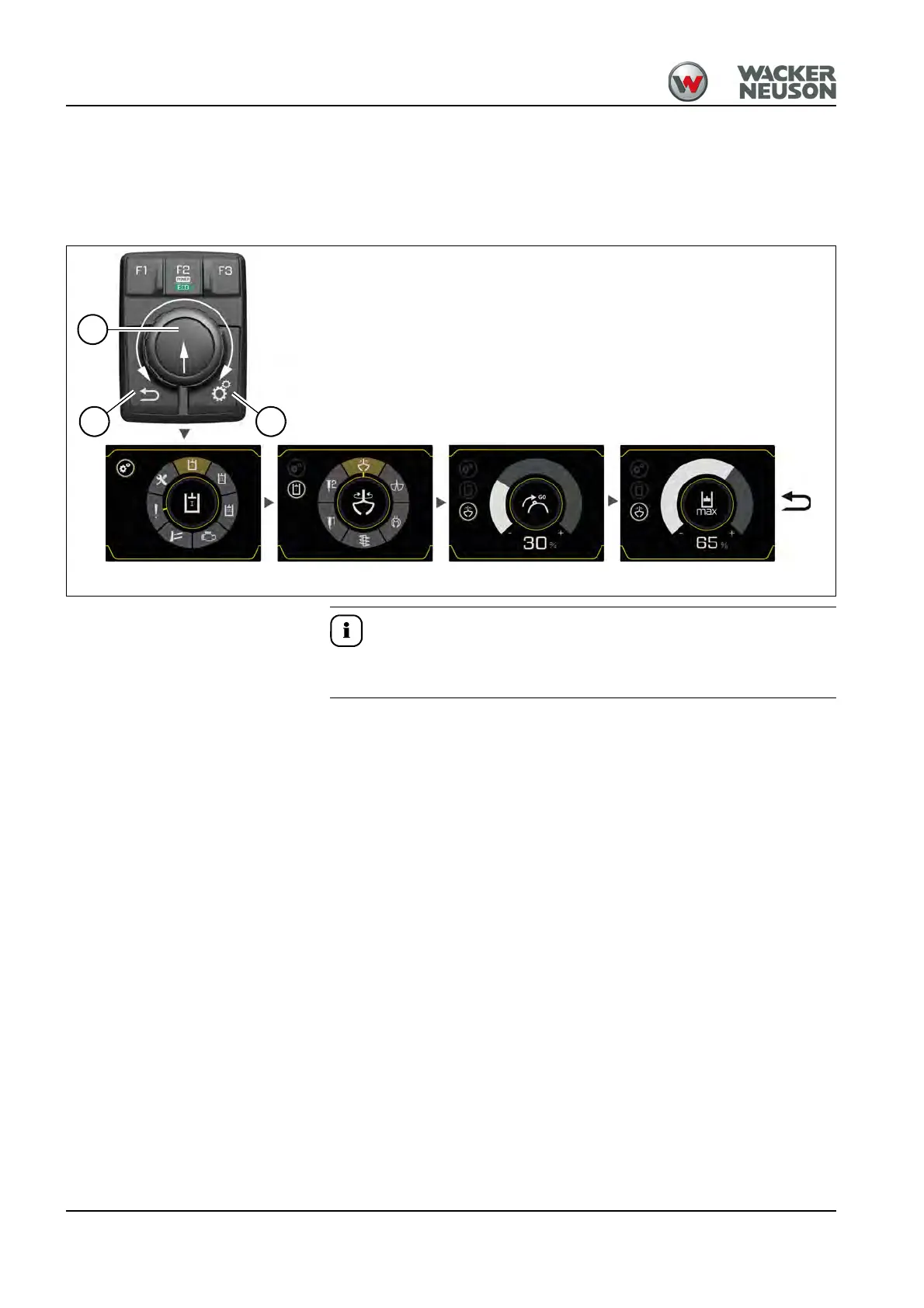
The proportional controls allow to continuously adjust the oil flow for the
attachment.
Additionally the required starting point for the oil flow can be adjusted with
the switch.
Example for AUX I. The operation for AUX II, AUX III and the dozer blade
are identical.
Performing the adjustments
• Press push button C to call the settings.
• The settings are selected (turn) and confirmed (press) with adjustment
button A.
Push button B (return) takes you back to the previous menu level.
Control circuit Attachments Starting point Flow rate
A
B C











 To Next Page