48
48
Index
Contents
IndexContents
WORKING WITH DISPLAY TOGGLE
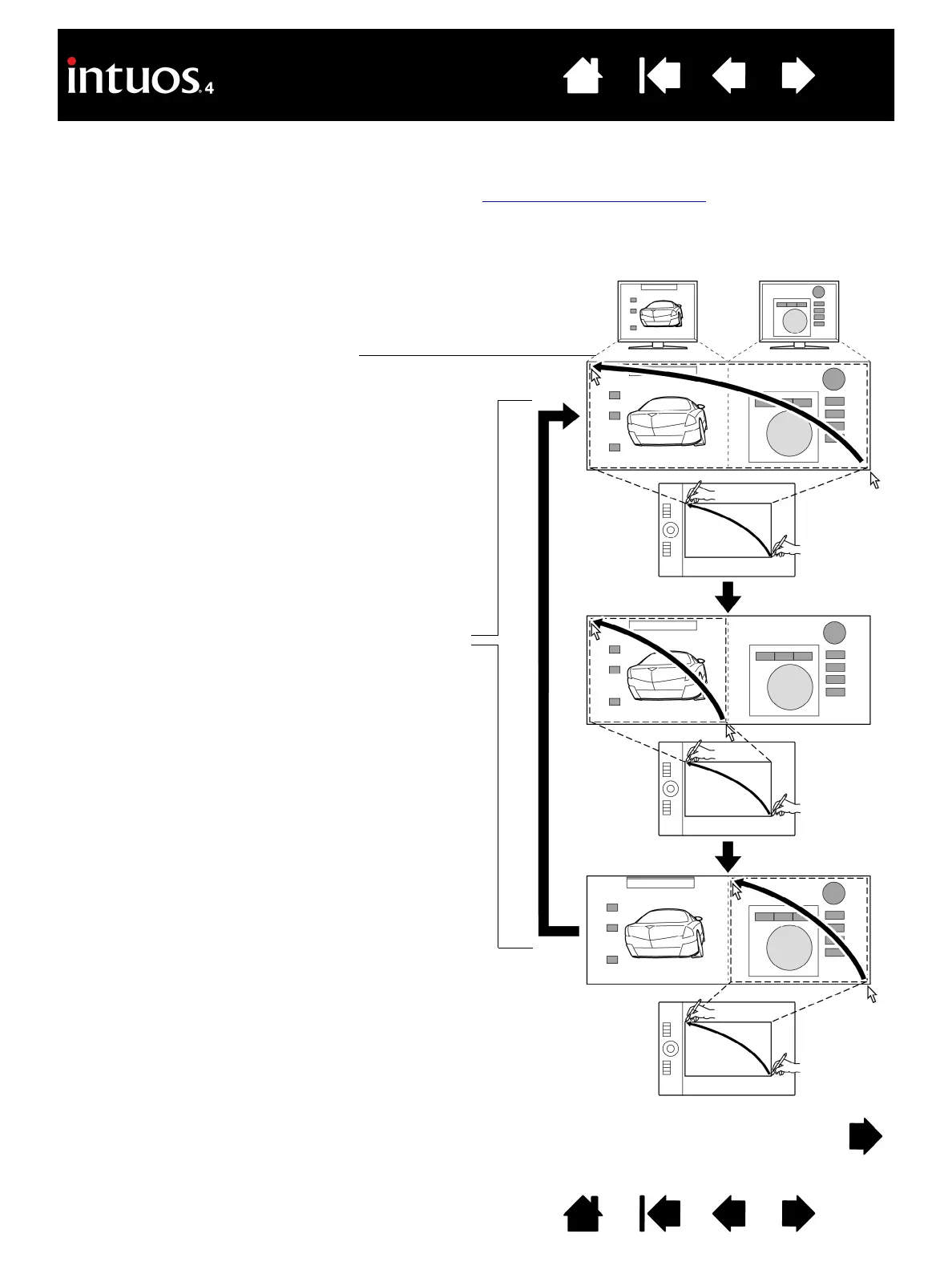
DISPLAY TOGGLE is available only on multiple monitor systems. This feature allows you to work with your
tablet on all displays or on one display at a time. (See mapping to multiple monitors
.)
After setting an ExpressKey to D
ISPLAY TOGGLE, you can then press that button to sequentially toggle the
current tablet mapping between a base mapping (the current setting from the M
APPING tab) and other
monitors. As an example:
1. The entire display area of a multi-monitor system
is set up for extended mode and assigned to the
active area of the Intuos4 tablet.
2. Pressing a tool button to which the D
ISPLAY
T
OGGLE function has been assigned toggles the
tablet mapping to the next display in sequence


 To Next Page
 Loading...