Service and Maintenance
FX85, FX110, FX140
Skidding Winch
46
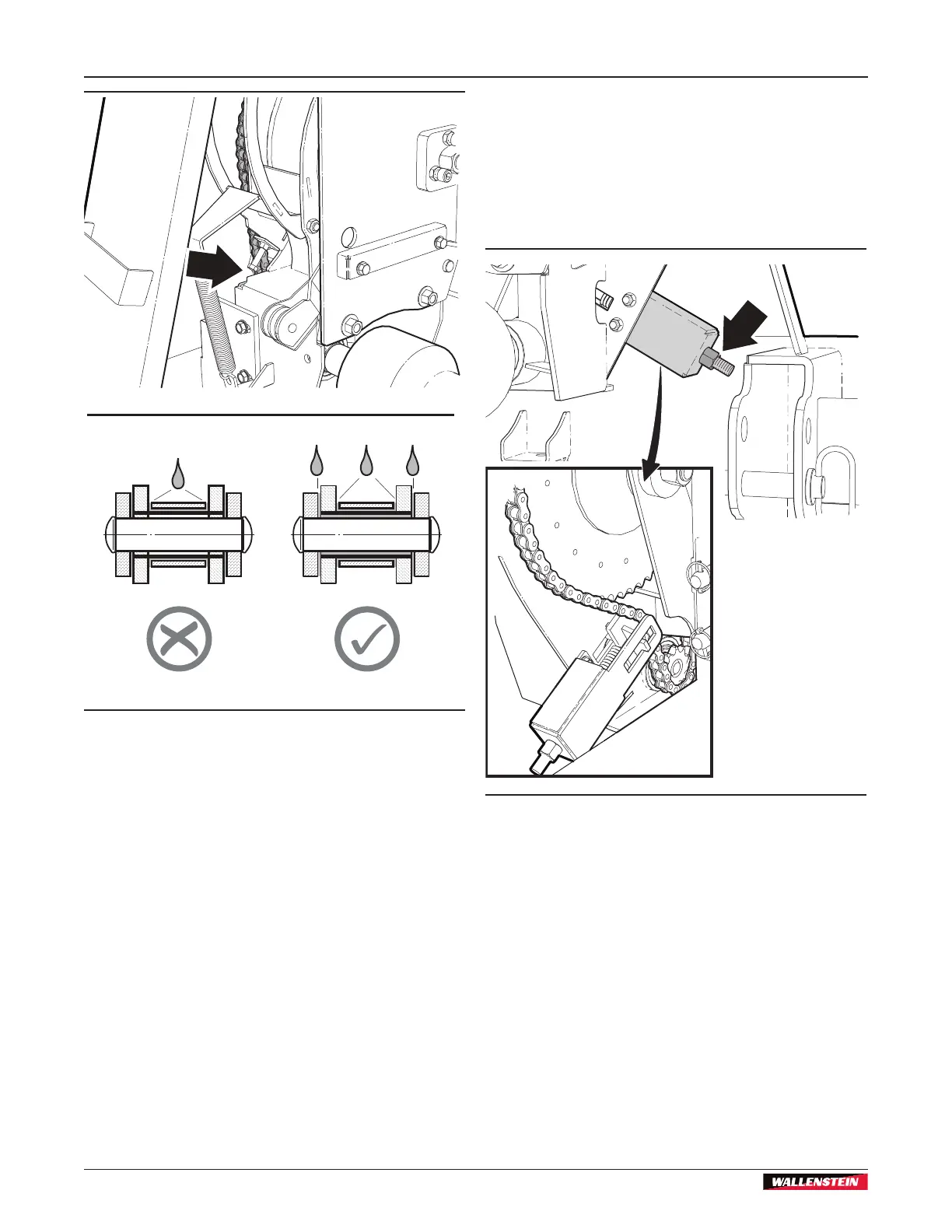
Figure 52 – Drive chain lubrication
9.5 Drive Chain Tension
The machine has a drive chain that transfers power from the
PTO input shaft to the machine.
The drive chain tensioning system is designed with an internal
compression spring that sets the maximum drive chain tension
during operation. No tension adjustment is necessary.
00603
Figure 53 – Drive chain tension adjustment
9.6 Replace the Drive Chain
1. On the front of the machine, remove the bottom guard.
2. Tighten the nut on the tension adjustment bolt to reduce
tension on the drive chain (minimum tension).
3. Remove the drive chain.
4. Install a new drive chain.
5. Set the maximum tension on the drive chain.
Loosen the nut on the tension adjustment bolt until it is
1/4" (6 mm) from the end of tension adjustment bolt.
6. Install the bottom guard and fasteners.
7. Use a calibrated torque wrench to torque the fasteners to
33 lbf•ft (45 N•m).


 To Next Page