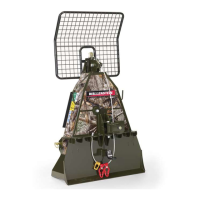
FX85, FX110, FX140
Skidding Winch
Transport
37
7.3 Machines with a Remote Control
The following machine models each have a wireless remote
control:
• FX85R and FX85RS
• FX110R and FX110RS
• FX140R and FX140RS
The remote control system includes a hand-held transmitter and
a receiver that is attached to the skidding winch.
For the remote control to operate, connect electrical and
hydraulic sources to the machine.
7.3.1 Electrical Connections
A 12 VDC, 1.5 amp source from the tractor electrical system is
necessary. The wire ends do not have connectors because there
are can be different connection configurations.
• Connect the white wire from the remote-control receiver to
positive current.
• Connect the black wire to ground.
7.3.2 Hydraulic Connections
If the pressure and return hoses are not identifiable,
look at the connection on the control valve. There is
a T on the return port. There is a P on the pressure
port.
A valve on the skidding winch controls the winch clutch. The
system is designed for an open-center hydraulic system. The
necessary hydraulic fluid flow is 1–2 gpm (3.8–7.5 L/m). This
flow rate gives the best start or stop speeds to prolong the
useful life of the cable or winch rope.
The 1/2" pressure and return hoses have quick-disconnect
ends and must be connected to the tractor's rear remote power
supply.
The hydraulic hoses have colored, protective caps that indicate
their function:
• The pressure hose has a red cap.
• The return hose has a black cap.


 To Next Page