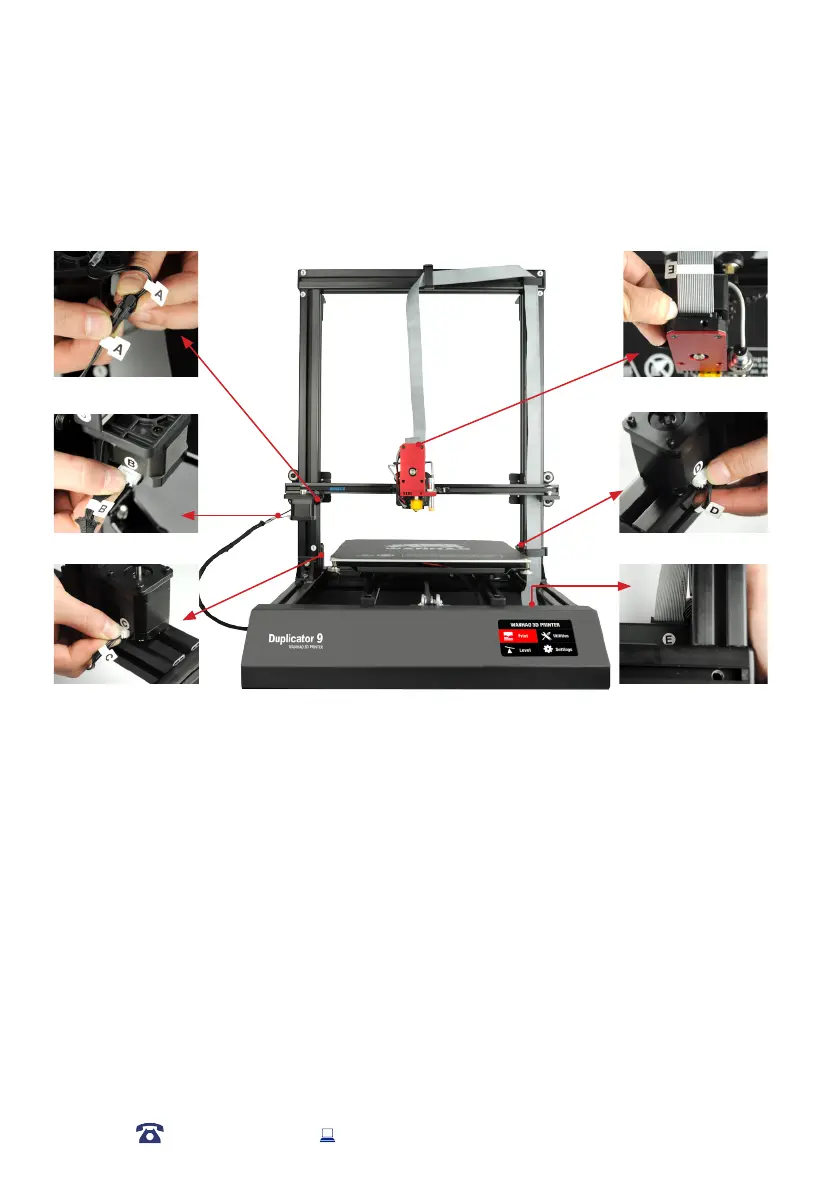
Quick Guide
Wiring instruction
1.
Remove the outer plastic nut from the Filament Spool Holder, then insert the threaded
into
the large hole of the Filament Spool Holder Stand. Tighten the plastic nuts on each
side to
secure.
2. Position the Filament Spool Holder Stand on top of the Extruder Tower, then insert
the bolts
and tighten with the Hex Wrench.
3.
Ensure the power switch is in the OFF position, then insert the Power Supply Cable into the
left of the Control Box. Turn on the power outlet, then turn on the 3D Printer, using the
switch on the back of the Control Box .
15
4. Wait for the printer to initialise, with Printer Ready.
AFTER SALES SUPPORT
86-571-23290996
support@wanhao3dprinter.com
Model : Duplicator 9














 To Next Page