Installation
1.4 Control Panel
1.4.1 Main Display
22
AFTER SALES SUPPORT
86-571-23290996
support@wanhao3dprinter.com
Model : Duplicator 9
System
:
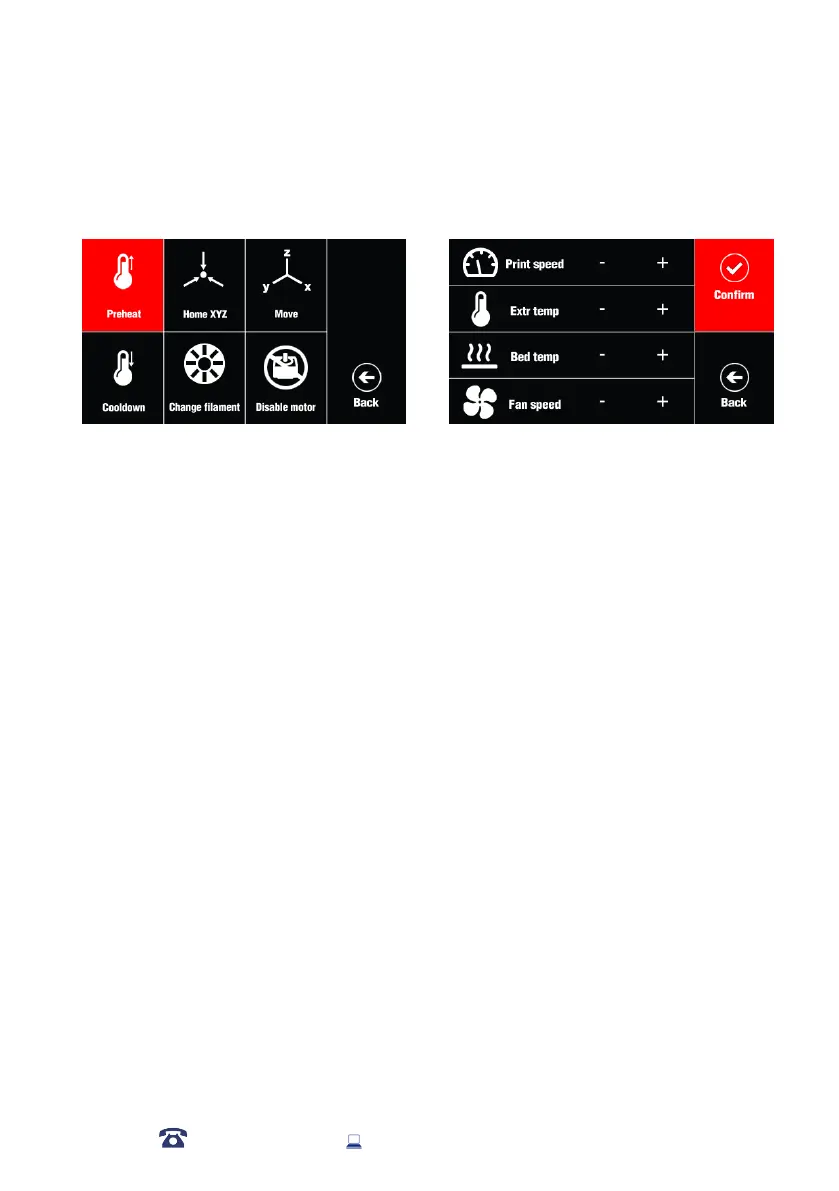
Home X Y Z: Returns Extruder and bed to home position using stop switches.
PID: To Change PID value.
Motor: To move X, Y, Z, Extruder motor
X/Y/Z/E Position: Precisely adjust the location of a specic axis
Factory Settings: To return to default factory setting
Tool:
Preheat: Extruder and bed temperatures set and active
ABS: Sets Extruder to 245°C and Heated Print Bed to 90°C and active
PLA: Sets Extruder to 215°C and Heated Print Bed to 60°C and active
BED: (Current °C / Set °C)
E-T: (Current °C / Set °C)
Move:
Cool Down: To stop heating and cooling the extruder
Home All: Returns Extruder and bed to home position using stop switches.
Disable Drive: Motors are disabled and free to be moved by hand
Disable Power: Motherboard is disabled, no sensor and motor has power.
Print: To select the printing le and active printing
SD: Enter SD card le.
UP: Select the upper le
Down:Select the lower le
Printing: 3D Object is being printed, % displayed
Printing Speed: To change the printing speed. Default setting is 100%.
Ead Temp: Extruder set temperature
Bed Temp: Bed set temperature
FAN Speed: Fan set speed. Default setting is 100%














 To Next Page