Using Cura
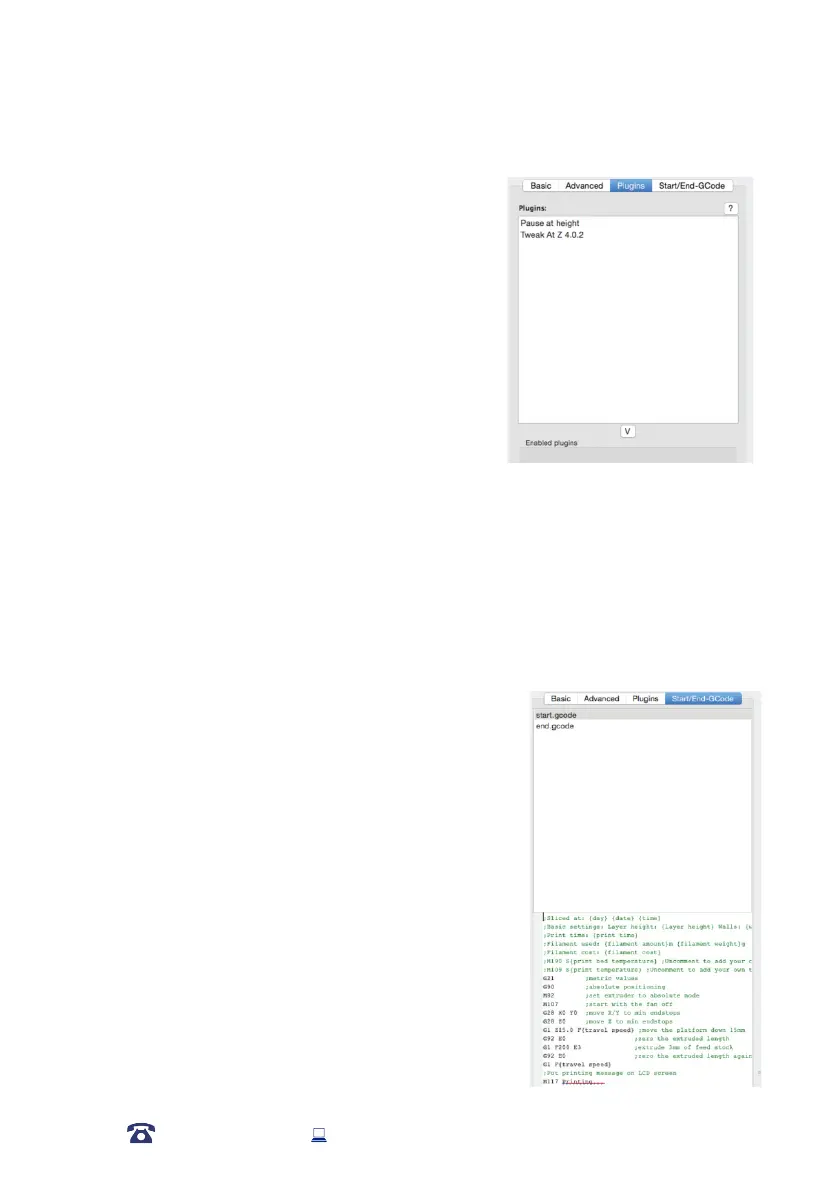
6.6.3 Plugins Tab
Plugins are custom settings which will alter your print at
specic points. The two that come pre-loaded with Cura
are Tweak at Z, and Pause at Height. More plugins and
information can be found here:
http://wiki.ultimaker.com/Category:CuraPlugin
To activate one of these highlight the desired plugin and
click the drop-down arrow directly below the Plugins box.
Tweak at Z
Make basic changes at specied Z heights. You can
determine the Z height or layer count at which you want to make a change. Then choose how
you would like to change your settings. You can alter temperatures, fan speeds, and print
speeds. Fine tuning these for specic STL les, can produce cleaner prints.
Pause at Z Height
Pause your print at a specied height. You can also specify where to move the print head
and how much lament to retract. This will prevent ‘blobs’ from accumulating on your print
while paused. This setting is most commonly used when switching colours of laments in the
middle of a print.
6.6.4 Start/End GCODE Tab
Custom Gcode allows for complex automatic printer
movements and operations. By adding custom Gcode into
the start or end of your le, you can alter how it prints. A
comprehensive list of Gcode commands can be found here:
http://reprap.org/wiki/G-code
We recommend new users to leave this as provided.
42
AFTER SALES SUPPORT
86-571-23290996
support@wanhao3dprinter.com
Model : Duplicator 9














 To Next Page