SETUP
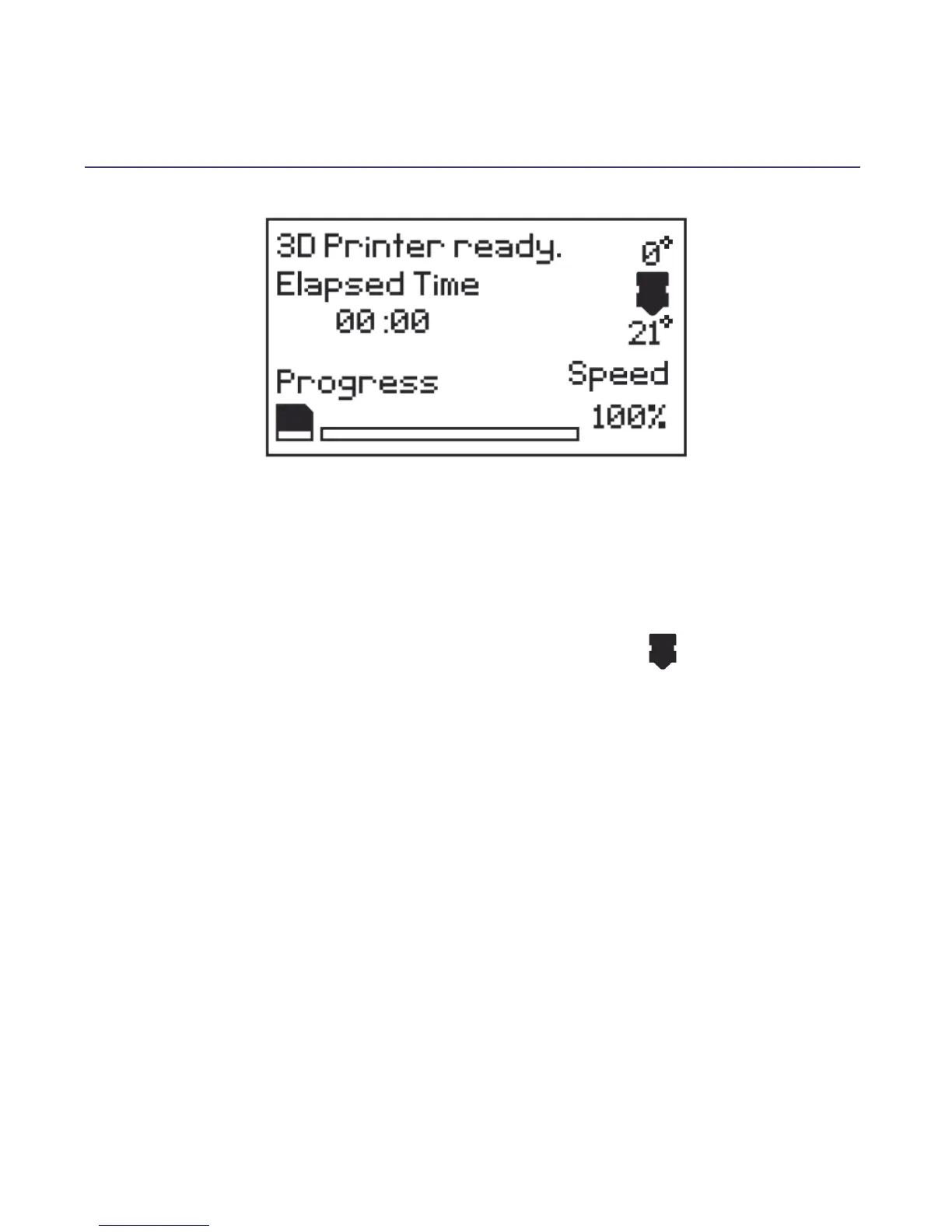
3.2 Home Screen
* Printer Status: Current printer status or memory card status if removed or inserted
* Elapsed Time: Length of time the current model has been printing (if applicable)
* Progress: Displays percentage of model completed (if applicable)
* Speed:Current printing speed - 100 % is full speed
NOTE: The initial pringting speed is dened in the GCODE le, not by the printer
* Extruder Temperature: The temperature shown above the symbol is the
set/target temperature. The temperature below the same symbol is the current
temperature.
NOTE: When no temperature is set, the extruder will register the current ambient
temperature.
3.3 Navigating the Menus
1.
To enter the Main Menu, quickly press and release the Dial button
2.
To move throughout the menu, turn the Dial Button.Note some menus have
options not visible one the screen. Keep turning the dial to see all options available
3.
To make a selection, quickly press and release the Dial Button
4.
To move to the previous menu or exit, highlight 'back'at the top of each menu
and push the Dial Button
16















 To Next Page