www.wansview.com
13
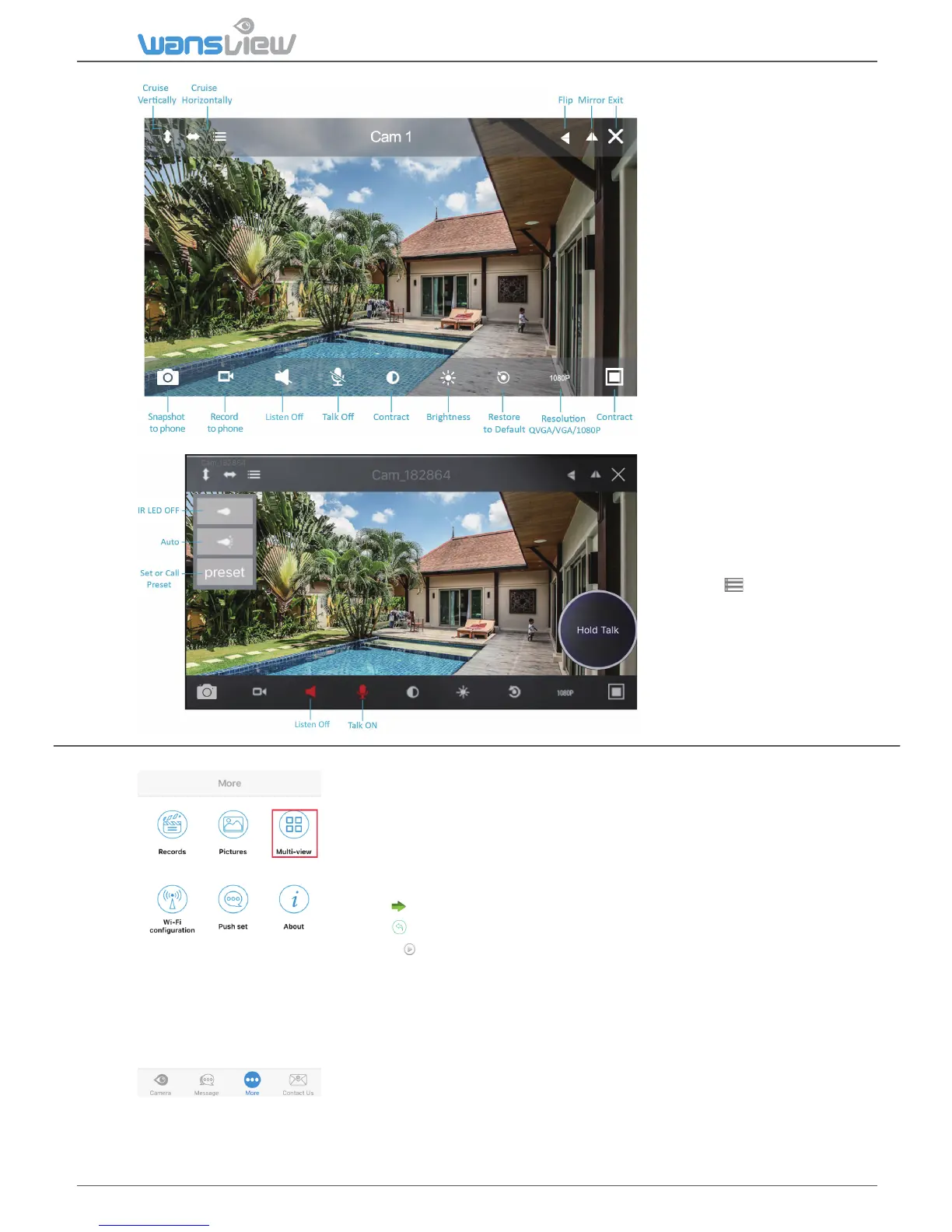
b) Tap the monitoring
screen to see the video
menu.
c) Digital Zoom is
available on the screen
by enlarging fingers (4X
digital zoom).
1: Two-way audio funcon:
Turn on Listen and Talk.
2: IR Leds switches on at
night when the luminosity is
under 5 lux. If you want
control the IR Led manually,
please Tap to turn ON/OFF
the IR LED.
3: The Preset funcon allows
to set up to 8 spots on the
video and recall them
quickly. First select the spot,
then press 1 to 8 and then
Viewing Camera on Mul-View
1.Tap “More” and select Mul-View. Up to 4 cameras can be
viewed at the same me. Click on cameras on the list to add the
view on the main screen.
2. Tap to hide cameras’ list
3. Tap to exit mulple windows mode
4. Press to play camera. Tap again to stop the video.



 To Next Page