www.wansview.com
22
3.2 Live Streaming and Recording on PC
3.1.3 View Video- Mode 2 – Limited Camera Management
This view is supported by the Adobe Flash Player plugin and if is not installed, the browser will
prompt to download and install the plugin.
In the Flash Player mode, users have less funcons. Microso Edge is not supported.
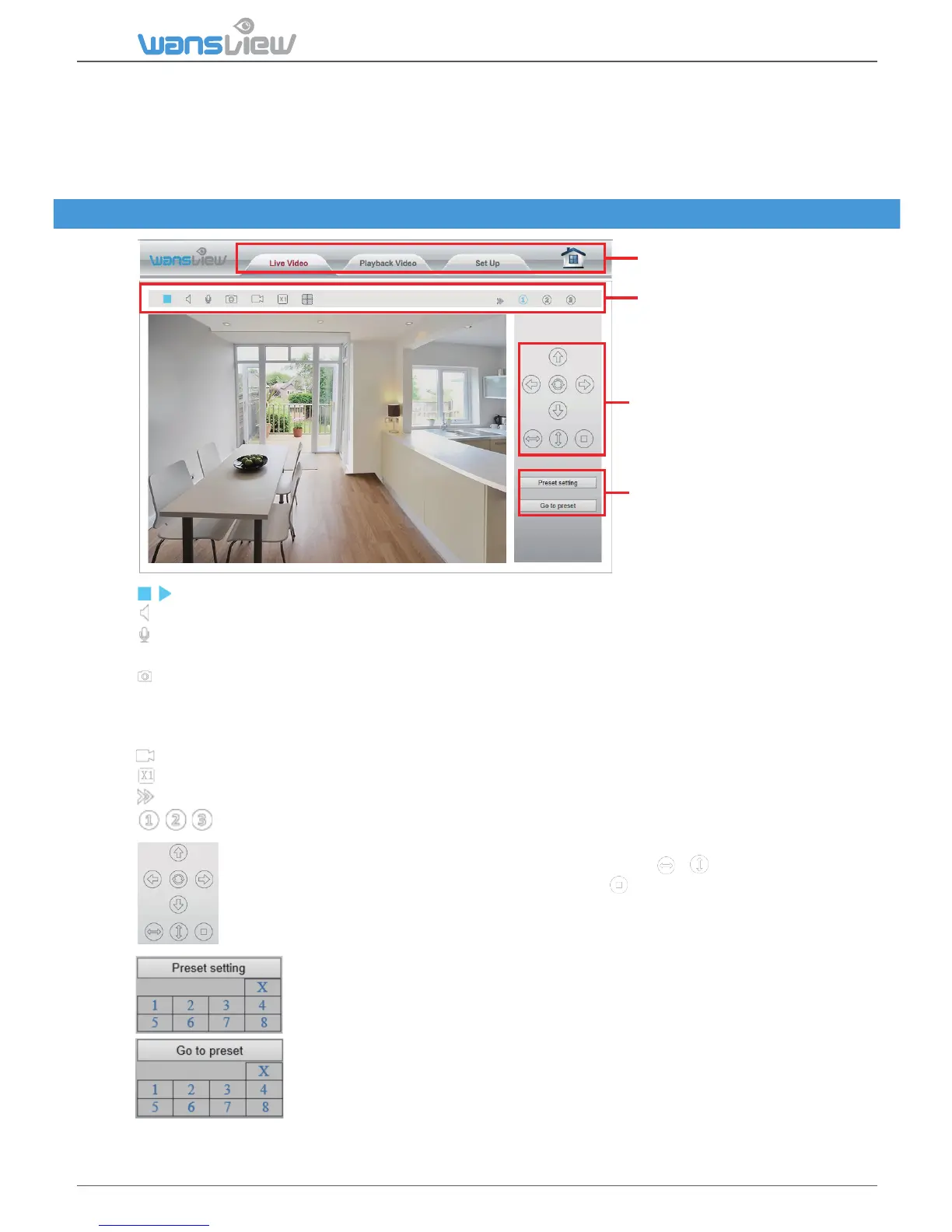
Menu Bar
Video Menu Bar
Pan/Tilt Control
Set Preset
/ Play/ Stop: Play and stop video.
Listen: If your PC is equipped with speakers, click here to listen from your camera.
Talk: Acvate the Talk funcon. A microphone is needed in your PC. Adjust volume under Set up
> Video&Audio >Audio.
Snapshot: Capture live images and save to PC. Set folder for the snapshots in Setup > Local
Configuraon.
Snapshots format is JPG.
Record: Record and save to PC.
Digital Zoom
Show/Hide Control Panel.
Resoluon: Choose 3 resoluons 1920x1080 / 640x360 / 320x180
Use the control panel to pan and lt your camera’s head. Click or to move camera’s
head horizontally or vercally. Stop camera movement and it will go to the inial
posion.
Set up to 8 camera preset
spots, as explained above in
the App Secon.



 To Next Page