www.wansview.com
12
2.2 Live Streaming
Tips:
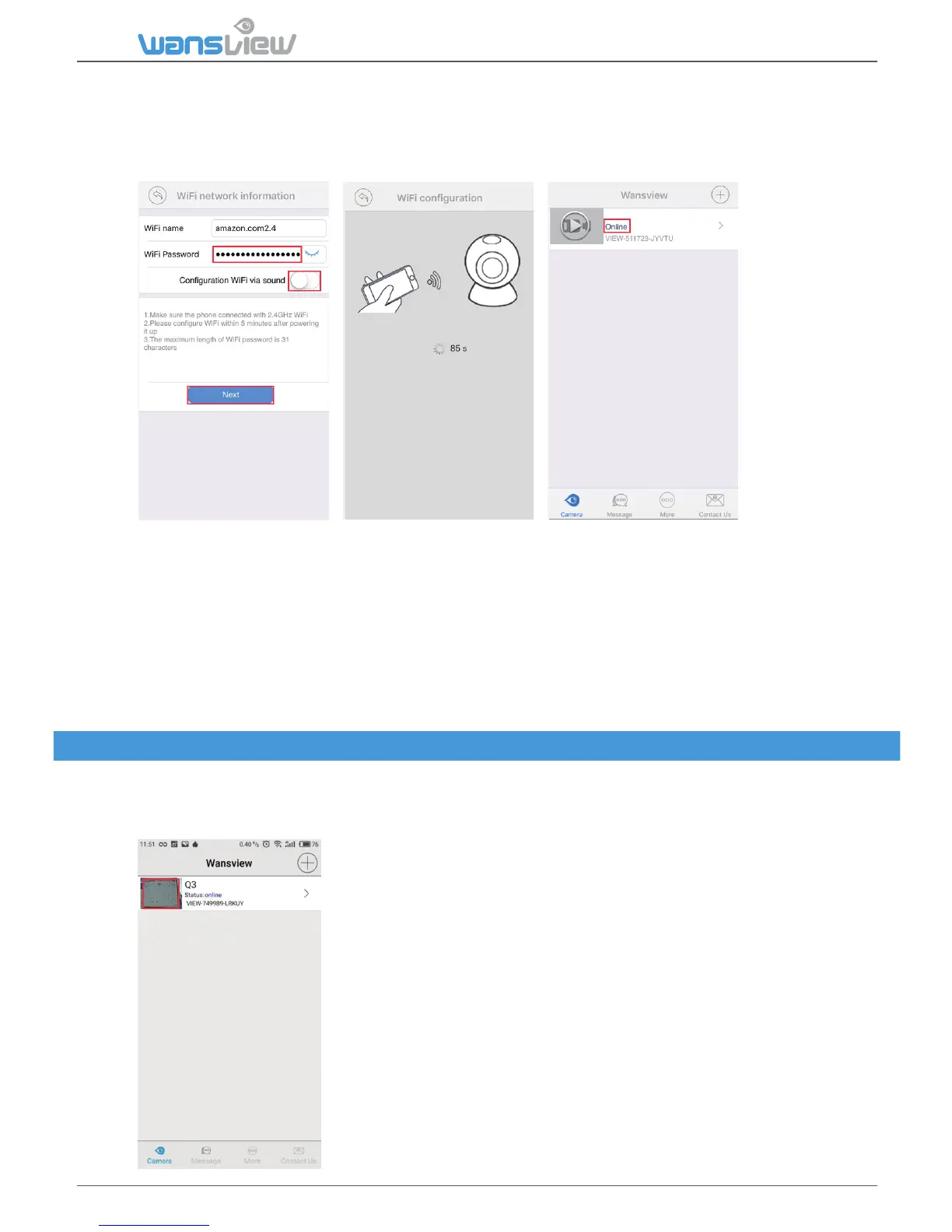
If you feel the beeps from the mobile phone is annoying, please uncheck “Configuraon WiFi via
sound”.
When configure, please make sure the mobile phone is close to the camera.
Q3
Immediately aer setup go to:
1)Advanced Seng > User Management to change User and Password
2)Advanced Seng > About camera and take note of the camera’s IP and camera’s Port
ATTENTION: Anyme you reboot the camera or there is a power cut, the setup procedure needs to
be repeated again and the camera’s IP address changes. To avoid repeang the setup procedure,
input your camera’s IP and port in the router sengs page > advanced sengs > port forwarding.
Port Forwarding is necessary also for accessing the camera from any Computer outside the
network where the camera is installed (see more on Chapter 3).
Each camera can be accessed by up to 4 users at the same me. The administrator can setup 3
different level of access: administrator, operator and viewer.
Viewing Camera on a Single Window
Tap cameras to view the live videos by added cameras



 To Next Page