EasyManua.ls Logo

Water Right Sanitizer Plus Series - User Manual

Water Right Sanitizer Plus Series
36 pages
Print Icon
To Next Page IconTo Next Page
Loading...
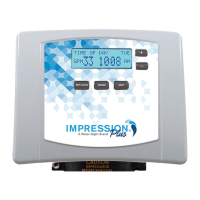
Impression Plus Series
®
Sanitizer Plus Series
®
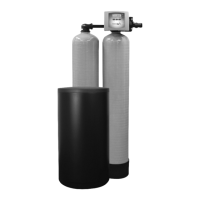
Twin Water Softeners
For Models:
• IMP-844TW ASP1-1044TW
• IMP-1044TW ASP1-1054TW
• IMP-1054TW ASP1-1354TW
• IMP-1354TW ASP1-1465TW
• IMP-1465TW ASP1-1665TW
• IMP-1665TW
• IMPRC-1054TW ASP2-1044TW
• IMPRC-1354TW ASP2-1054TW
ASP2-1354TW
ASP2-1465TW
ASP2-1665TW

Questions and Answers

  • N
    Nathan NelsonSep 6, 2025
    Why is there excessive water in my Water Right Sanitizer Plus Water Dispenser regenerant tank?
    • H
      hmitchellSep 7, 2025
      If your Water Right Water Dispenser has excessive water in the regenerant tank, check the refill setting. A plugged injector can also cause this issue, so remove and replace it. Ensure the drive cap assembly is properly tightened. Damaged seal/stack assembly or piston may also be responsible, requiring replacement. Inspect the drain line for restrictions or kinks, and unkink it if necessary. Lastly, check the backwash flow controller for blockage and replace if needed, and ensure the refill flow controller is installed.
  • M
    Matthew WilliamsAug 25, 2025
    Why does my Water Right Water Dispenser regenerate at the wrong time?
    • Q
      qpriceAug 26, 2025
      If your Water Right Water Dispenser control valve is regenerating at the wrong time, here's what could be happening: * **Power Outage:** Reset the time of day. If your PC board has a battery backup, the battery may be depleted. See the front cover and drive assembly drawing for instructions. * **Incorrect Time of Day Setting:** Reset the time of day to the correct time. * **Incorrect Regeneration Time Setting:** Reset the regeneration time. * **Control Valve Set to Immediate Regeneration:** Check the programming setting and reset to NORMAL for a delayed regeneration time. * **Control Valve Set to Both Delayed and Immediate Regeneration:** Check the programming setting and reset to NORMAL for a delayed regeneration time.
  • R
    Ryan GutierrezAug 26, 2025
    Why is there excessive water in my Water Right Sanitizer Plus Water Dispenser's regenerant tank?
    • M
      Melissa SimonAug 26, 2025
      If there's too much water in the regenerant tank of your Water Right Water Dispenser, here are possible causes: * Improper program settings: Check the refill setting. * Plugged injector: Remove and clean or replace the injector. * Drive cap assembly not tightened properly: Retighten the drive cap assembly. * Damaged seal/stack assembly: Replace the seal/stack assembly. * Restricted or kinked drain line: Check the drain line for restrictions or kinks and correct them. * Plugged backwash flow controller: Remove and clean or replace the backwash flow controller. * Missing refill flow controller: Replace the refill flow controller.
  • T
    Timothy LopezSep 14, 2025
    Why does my Water Right Water Filtration Systems valve not regenerate automatically but does when REGEN button is pressed?
    • D
      David WhiteSep 14, 2025
      If your Water Right Water Filtration System valve doesn't regenerate automatically but does when the REGEN button is pressed, first, ensure the bypass valve is in the normal operating mode. If not, refer to the bypass diagrams on page 4. Check if the meter is disconnected and reconnect it to the PC board. An obstructed meter turbine could also be the problem; clear the obstruction. If the meter is defective, replace it. Review the programming for any errors and correct them. Lastly, a defective PC board might be the cause, so replace the board if necessary.
  • D
    Donna LopezSep 23, 2025
    What to do if my Water Right Water Dispenser PC board does not display the correct time of day?
    • A
      alvarezsherriSep 23, 2025
      If the PC board doesn't display the correct time, the power adapter might be plugged into an electric outlet controlled by a light switch; use an uninterrupted outlet. A tripped breaker switch or GFI can also cause this; reset the breaker switch or GFI switch. A power outage can also be the reason; reset the time of day. If the PC board has a battery backup, the battery may be depleted. In some cases, the PC board itself might be defective and need replacement.
  • C
    Christopher MonroeSep 12, 2025
    How to fix Err – 204 error on Water Right Sanitizer Plus Water Dispenser?
    • P
      Peter HarrisonSep 12, 2025
      If your Water Right Water Dispenser displays Err – 204, a leak detected error, which is viewable in history screens, and it occurs when the dP input is active for 'ALARM' and the input is closed, check for a low flow leak. Press the NEXT and REGEN buttons for 3 seconds to resynchronize the software with the piston position, or disconnect the power supply from the PC Board for 5 seconds and then reconnect to clear the error.
  • J
    Jeffery AdamsSep 3, 2025
    How to fix no display on Water Right Water Dispenser PC board?
    • T
      Tammy CarpenterSep 3, 2025
      If the display on the PC board of your Water Right Water Dispenser is blank, verify that the electric outlet has power and use a working outlet if necessary. Ensure the control valve power adapter is plugged into the outlet and connected to the PC board. Confirm the power supply is delivering the correct voltage to the PC board. If these steps don't resolve the issue, the power adapter or PC board may be defective and require replacement.
  • S
    stephanie88Dec 1, 2025
    What does error 107 mean on Water Right Sanitizer Plus Water Dispenser?
    • L
      Laura FowlerDec 1, 2025
      If you're getting error Err – 1007, Err – 107, or Err – 117 on your Water Right Water Dispenser, it means the MAV/ SEPS/NHBP/AUX MAV valve motor ran too short and stalled while trying to find the proper park position. Here's what you can do: * Check for foreign material in the MAV/NHBP valve: Open up the MAV/NHBP valve and check the piston and seal/stack assembly for any foreign material. Then, press the NEXT and REGEN buttons for 3 seconds to resynchronize the software with the piston position or disconnect the power supply from the PC board for 5 seconds and then reconnect. * Inspect for mechanical binding: Check the piston and seal/stack assembly, reduction gears, drive gear interface, and the MAV/NHBP black drive pinion on the motor for being jammed into the motor body. Then, pres...
  • J
    Jonathan RyanSep 18, 2025
    What does error 'Err – 400' mean on my Water Right Water Dispenser?
    • B
      Brittany BrownSep 18, 2025
      Err – 400 indicates a memory-related error. This can be due to a depleted battery. See the Operating Display and Maintenance section. It may also be caused by a defective PC Board, in which case it should be replaced.
  • S
    Sherry Savage DDSAug 28, 2025
    Why won't my Water Right Sanitizer Plus Water Dispenser draw in regenerant?
    • B
      Brittany DavisAug 29, 2025
      If the control valve on your Water Right Water Dispenser isn't drawing in regenerant, consider the following: * The injector might be plugged: Remove and clean or replace the injector. * The regenerant piston could be faulty: Replace the regenerant piston. * There might be a leak in the regenerant line connection: Inspect the regenerant line for air leaks. * The drain line might be restricted, causing excess back pressure: Inspect the drain line and clean to correct the restriction. * The drain line might be too long or too high: Shorten the length or height. * The water pressure might be low: Check the incoming water pressure, which must remain at a minimum of 25 psi.

Summary

Pre-Installation Instructions for Dealers

Bypass Valve Operation

Installation Procedures

General Installation and Service Warnings

General guidelines and warnings for installation and service procedures.

Site Requirements

Technical specifications for the installation site.

Well Water Installation

Specific installation instructions for well water systems.

Municipal Installation

Specific installation instructions for municipal water systems.

Programming Procedures

Set Time of Day

Procedure for setting the current time of day on the unit.

Programming Settings

Instructions for adjusting various programming settings.

Start-Up Instructions

Flushing of System

Steps to flush the system of debris and air after installation.

Conditioning of Media

Procedure to condition the media after installation.

Operating Displays and Maintenance

Regeneration Modes

Explanation of how the twin system regenerates.

Manual Regeneration

Instructions for initiating regeneration manually.

Troubleshooting Guide

Service Instructions

Water Right Sanitizer Plus Series Specifications

General IconGeneral
BrandWater Right
ModelSanitizer Plus Series
CategoryWater Dispenser
LanguageEnglish

Related product manuals