Table 3–5: Additional functions in the QSM-R control panel
Control panel
function
Description
Start up system Brings the system to operational conditions after an
extended idle period or when switching to different
solvents.
See: Console online Help
Prime solvents Displays the Prime Solvents dialog box.
Prime seal wash Starts or stops priming the seal wash.
Wash plungers Initiates the plunger wash sequence.
Launch Console Launches the console software.
Reset module Resets the QSM-R following an error condition.
Help Displays the console online Help.
3.3.3 2489 UV-Vis control panel
The 2489 UV/Visible detector’s control panel displays absorbance units and
wavelength values. When the detector is running in dual mode, the values for both
wavelength A and B appear.
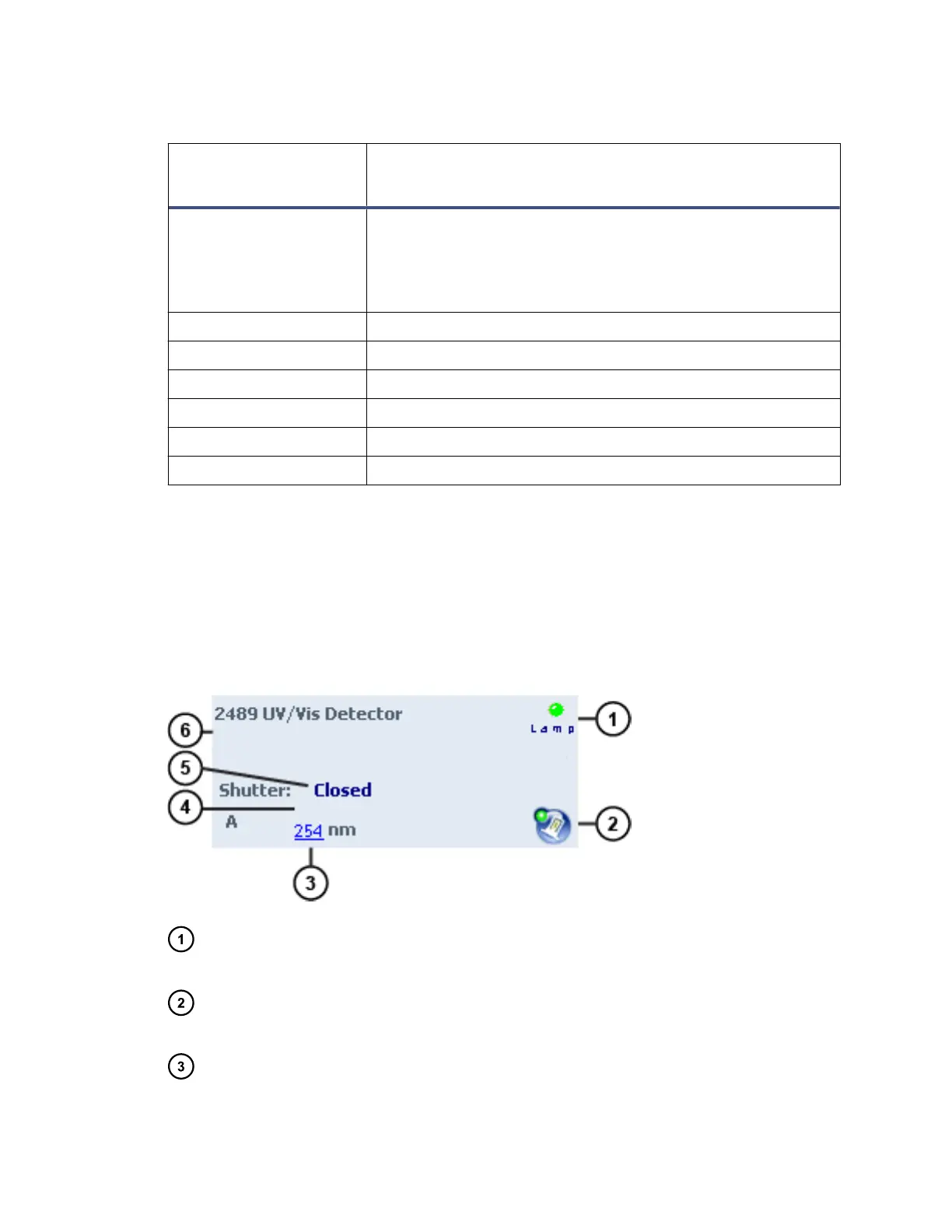
Figure 3–3: 2489 UV/Vis Detector (single mode) control panel
Lamp LED – Mirrors the lamp status LED on the front panel of the detector,
unless communications with the detector are interrupted.
Lamp ignition – When clicked, ignites or extinguishes the lamp. If the icon is
green, the lamp is ignited. If the icon is red, the lamp is extinguished.
Value of wavelength A – Displays the value of wavelength A, in nm. If the
detector is in dual wavelength mode, the value of wavelength B also appears.
June 12, 2015, 715004747 Rev. A
Page 38












 To Next Page