3-6 Preparing the System
ACQUITY control panels
You can monitor control panels for the binary solvent manager, sample
manager, detector, and column manager from your chromatography data
system.
When Empower software controls the system, the control panels appear at the
bottom of the Run Samples window. When MassLynx software controls the
system, the control panels appear on the Additional Status tab of the Inlet
Editor window.
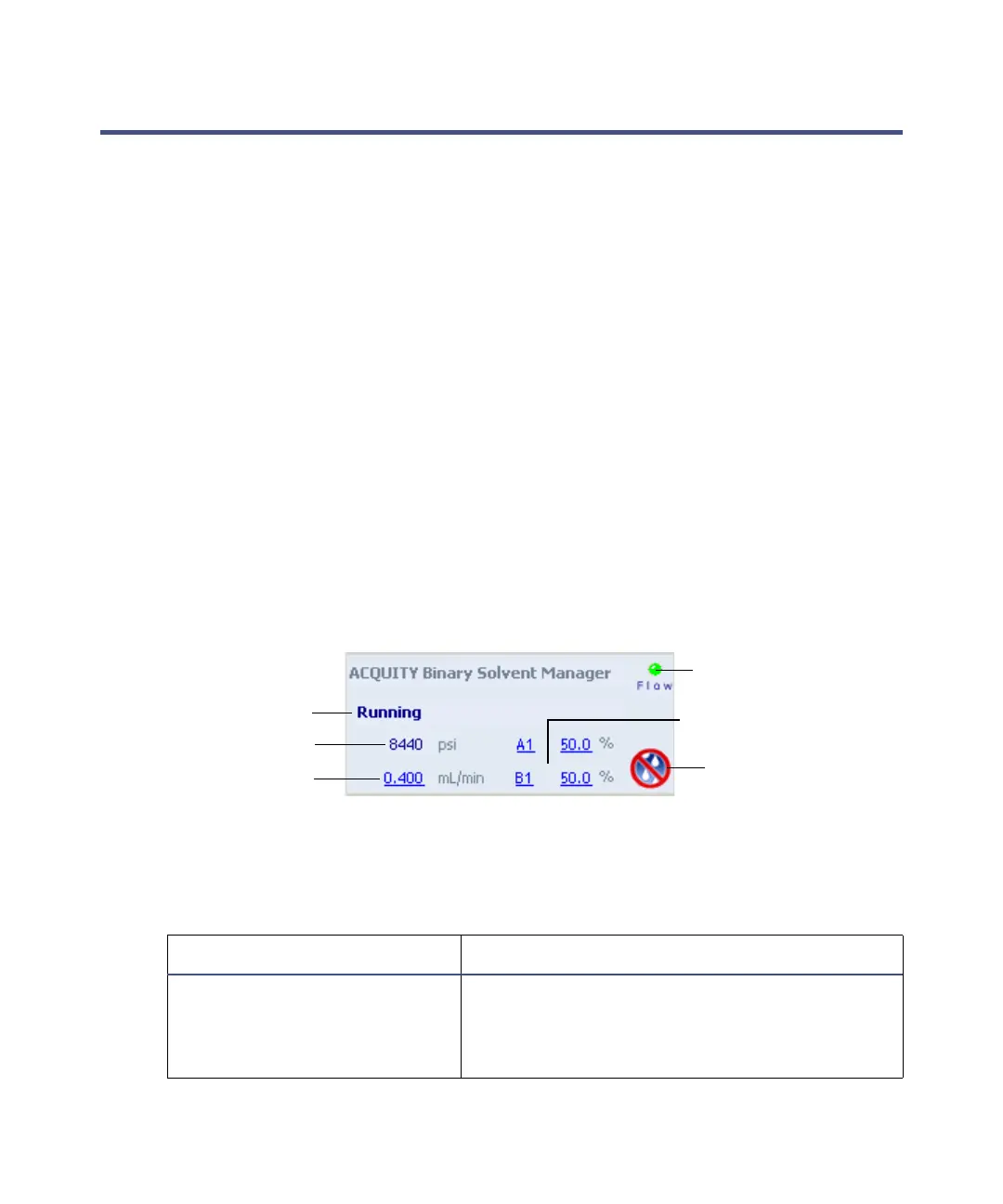
Binary solvent manager control panel
The binary solvent manager control panel displays flow status, system
pressure, total flow rate, and solvent composition parameters.
Rule: You can edit these parameters when the system is idle by clicking the
underlined value. You cannot edit binary solvent manager parameters while
the system is running samples.
Binary solvent manager control panel:
The following table describes the items in the binary solvent manager control
panel.
Binary solvent manager control panel items:
Control panel item Description
Flow LED Displays the actual flow LED on the front
panel of the binary solvent manager unless
communications with the binary solvent
manager are lost.
Status
Flow LED
System pressure
Flow rate
Solvent composition
Stop flow












 To Next Page