STRUCTURE AND FUNCTION | 29
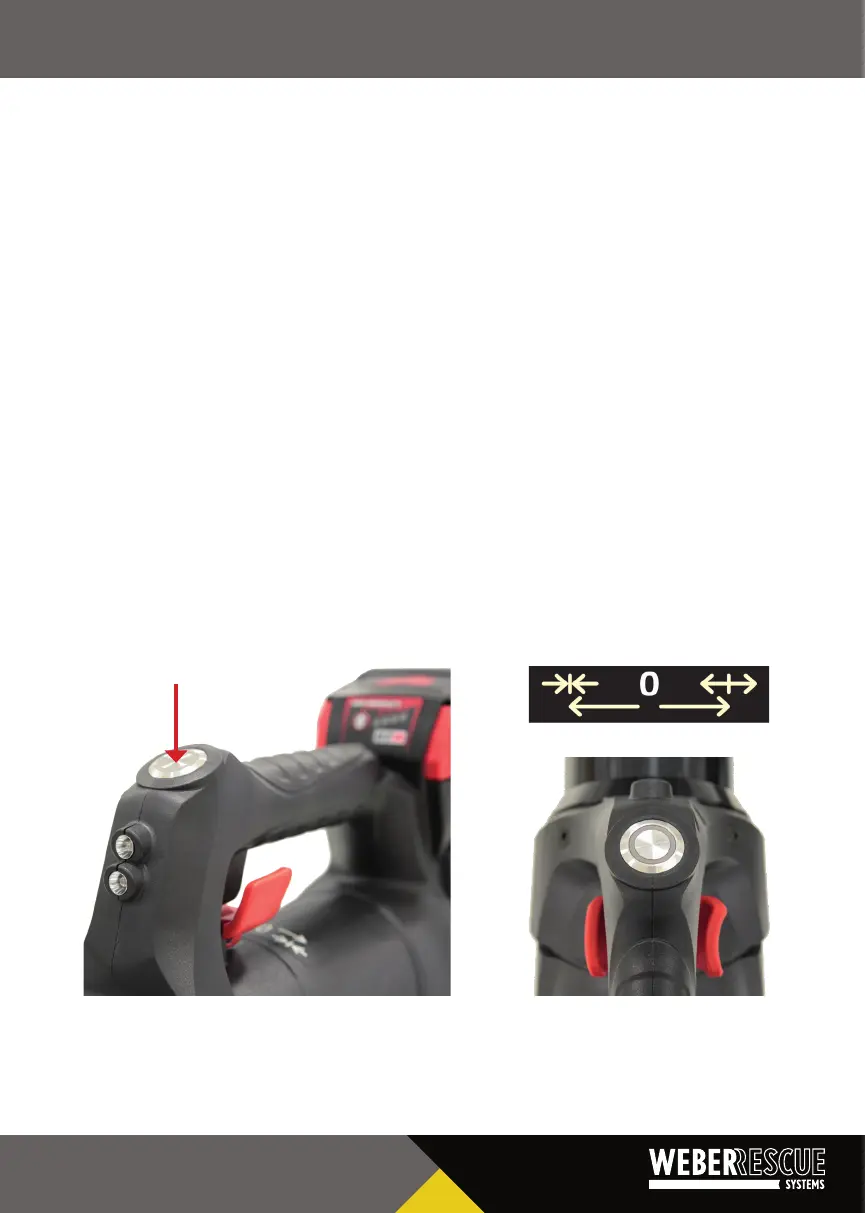
To start the baery-operated appliance, press the on/o switch. The switch is illuminated
white, the LEDs start to light up, and the motor idles. In this state, if the appliance is not
operated using the rocker switch on the control handle, it switches o automacally aer
30 seconds and must then be restarted.
Pressing the rocker switch on the control handle harder or less hard adjusts the movement
speed exactly. The maximum cung, expansion or pushing force is only obtained by pressing
the rocker switch down completely.
The tools' main direcon of movement is triggered by pressing the rocker switch to the le with
your index nger (grooved side of the rocker switch).
The opposite direcon is triggered by pressing the control rocker to the right with your thumb
(curved side of the rocker switch).
Dead man's circuit
When the rocker switch is released, it returns to the zero posion automacally. This always
brings the tool to a stop in any situaon, including under load. Aer 30 seconds, the appliance
switches o.
STRUCTURE AND FUNCTION | 29


 To Next Page