82 V2.0/02.11
Connectingthesensors/displayfunctions
5. Connectingthesensors/displayfunctions
To avoid electrical interference, please observe the following
steps:
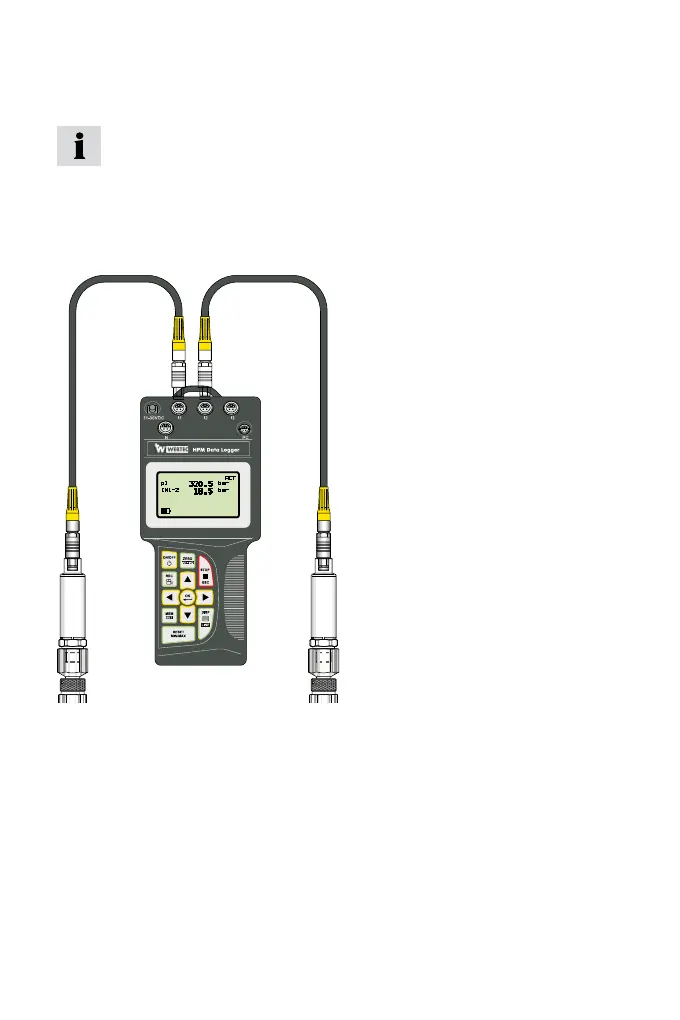
1 Connect the sensor to the measuring instrument using the connec-
tion cable.
2 Turn on the measuring instrument.
Measuring instrument with two pressure sensors
• Once turned on, all measured values are visible in the display.
• Automatic sensor recognition ensures that the measured value is
indicated in the correct unit.
• No further settings to the device are required.


 To Next Page