
 Need help?
Do you have a question about the WEBTEC HPM and is the answer not in the manual?
Specifies the intended applications and limitations for the device to ensure safe operation.
Outlines the required qualifications and expertise for operating the equipment safely.
Advises on precautions and considerations for using the device with high-pressure systems.
Explains the meaning of various symbols and how to navigate the device's menu system.
Steps for configuring display lines, including difference, volume, and power calculations.
Guides on calibrating the zero point of sensors for accurate readings.
How to connect and configure additional sensors for enhanced measurements.
Lists common error messages and provides troubleshooting steps.
Manual control of recording using START and STOP/ESC keys.
Automatic recording triggered by a defined start signal and time parameters.
Steps to connect the measuring instrument to a PC using a USB cable.
Explains settings for data format, recording intervals, and memory clearing.
 General
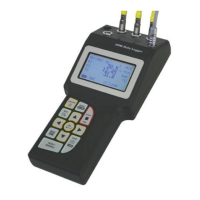
| Brand | WEBTEC |
|---|---|
| Model | HPM |
| Category | Data Loggers |
| Language | English |

 To Next Page