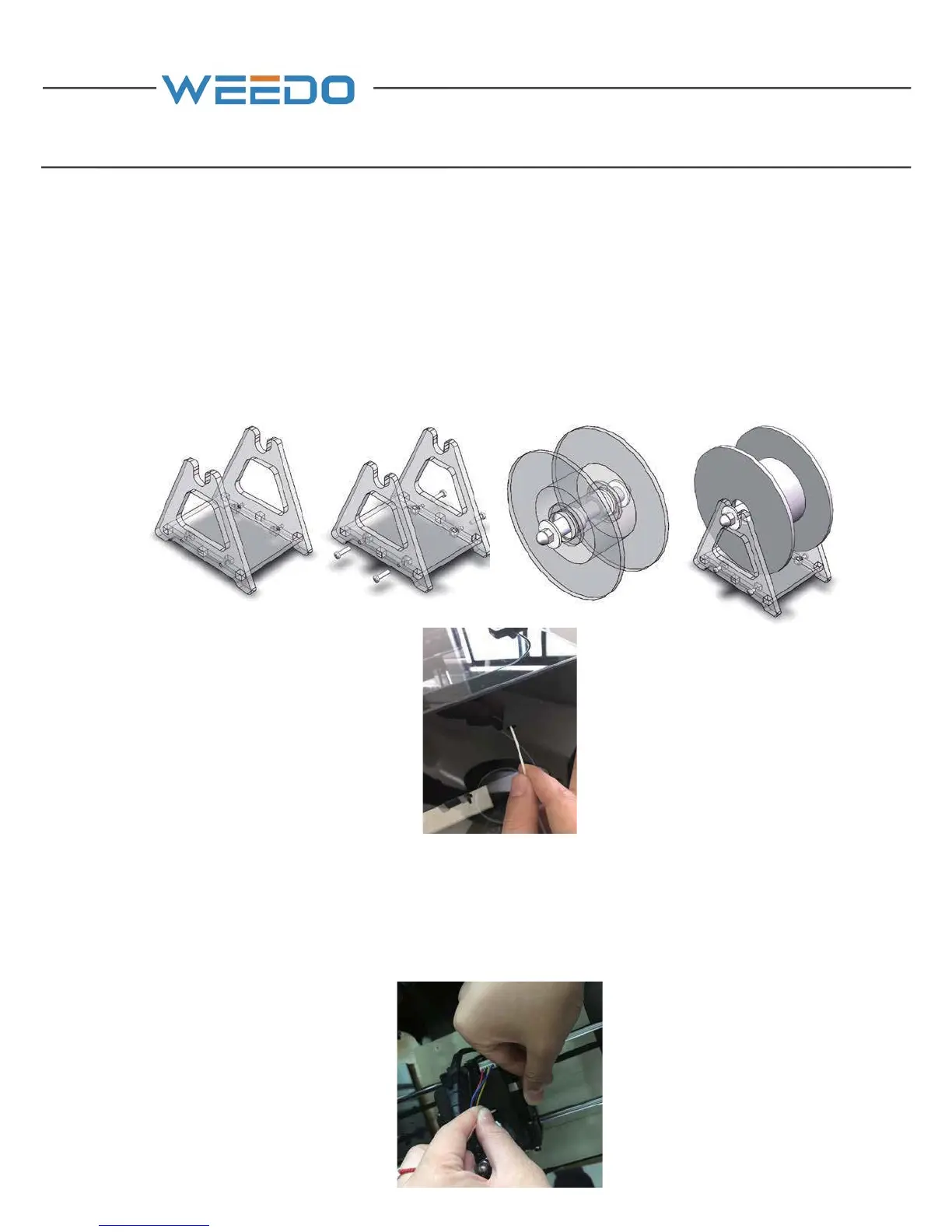
4.2. Assembly of Filament
Assemble the filament support (2) according to the “Instruction of Filament Support
Setting”, and after it’s done, find out one end of filament from the material tray (2)
and sent it to the feed pipe at the back board of printer, until the filament thread out
from another end of material pipe.
Open the cover plate on the printer; pull out the filament around 20cm from the
material pipe. Break straight the end of filament, right hand presses down the
handle of nozzle, and left hand holds the filament and plug it into the feed inlet,
insertion depth is about 5cm.



 To Next Page