4.4. Printing Model
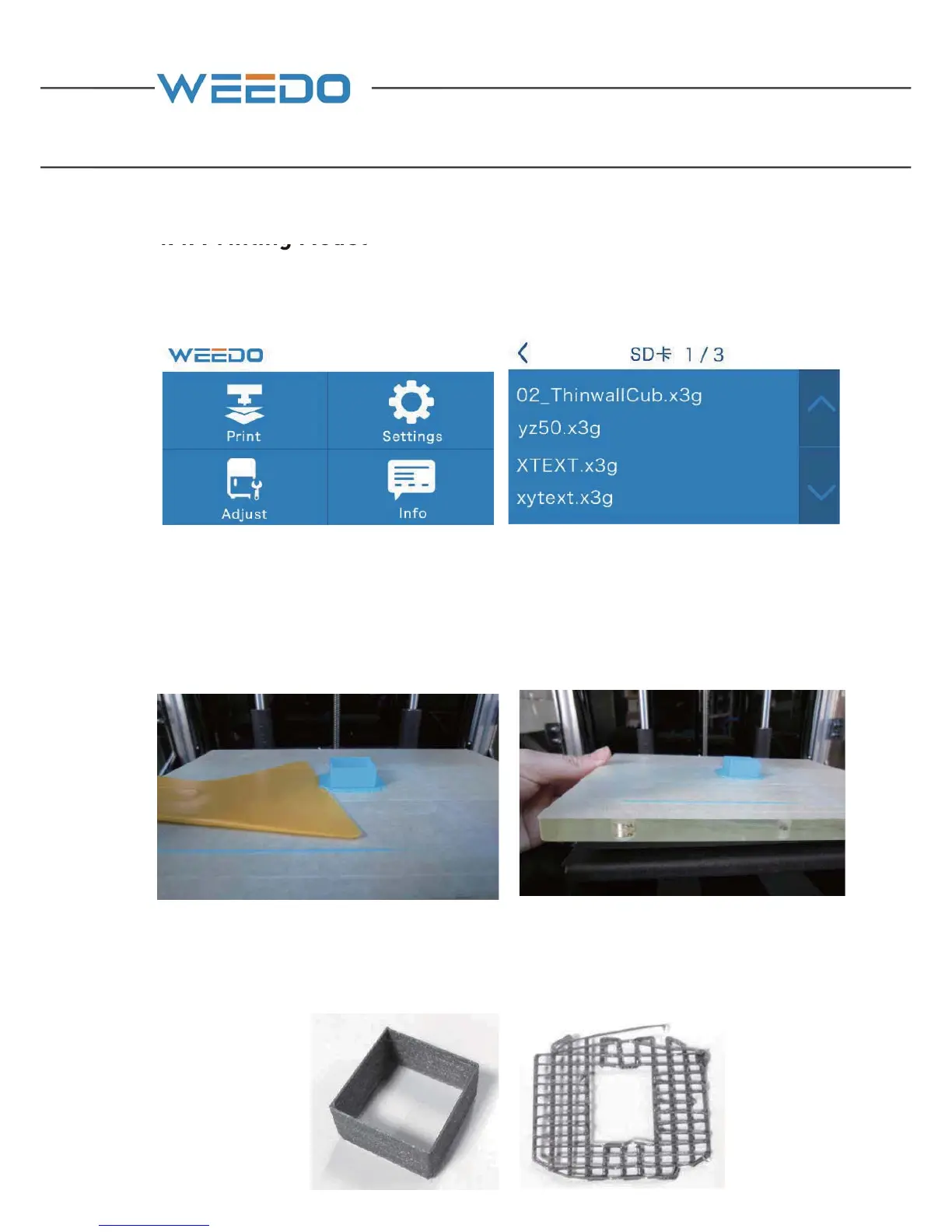
On the operation panel, choose “Print” the files in the SD card”→”02▁
ThinwallCub.x3g”, press it to start printing.
4.5. Removing Model
After model is completed with printing, it uses the presented plastic scraper (13) in
accompany with printer, to take the model out along with model edge, or firstly
disassemble the printing platform and take out model.
(This cube is to check whether the distance between nozzle and build plate is normal.
If the strip is of the same width and the width of the gaps between strips is 3 times of
the width of the strip, it means the distance between nozzle and build plate is
normal.)



 To Next Page