15 16
GB
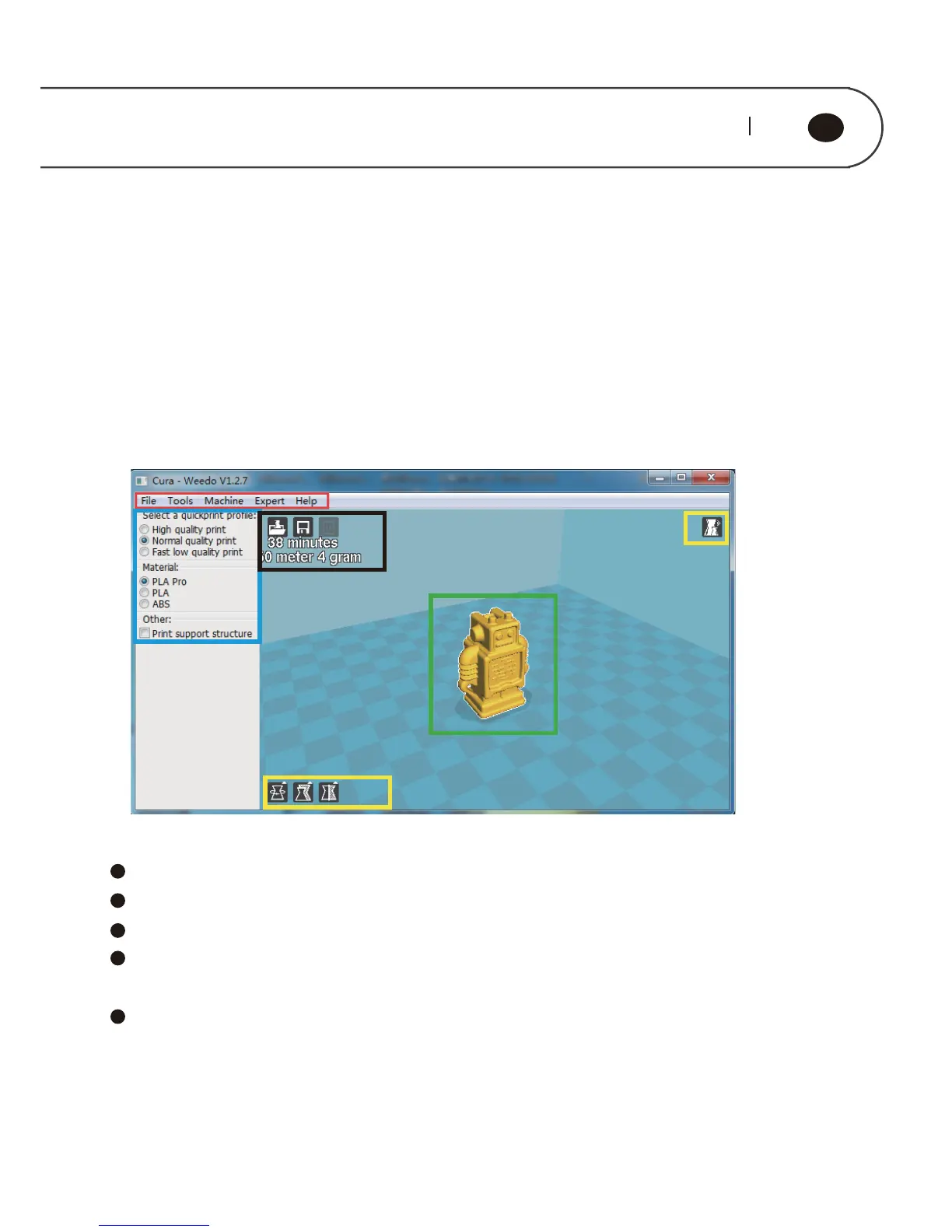
The figure below displays a typical interface of Cura
Red Box is Menu Bar
Blue Box is Printing Parameters Setting Bar
Yellow Box is used to Adjust model, and to check model
Black Box is the operation related to Printing,grey buttons displays it
can’t be used temporarily under the current condition.
Green Box is Model Preview
5.1.2. The Preference Menu
Click “File” on the menu bar ė “Preference”, enter the preference menu, as shown
in figure below, it can perform the following setting˖
5. SOFTWARE DETAILED INTRODUCTION
5.1. Cura Software Introduction
5.1.1. Basic Interface



 To Next Page