23 24
GB
5.1.5.3. Generation of Gcode Code and X3G File
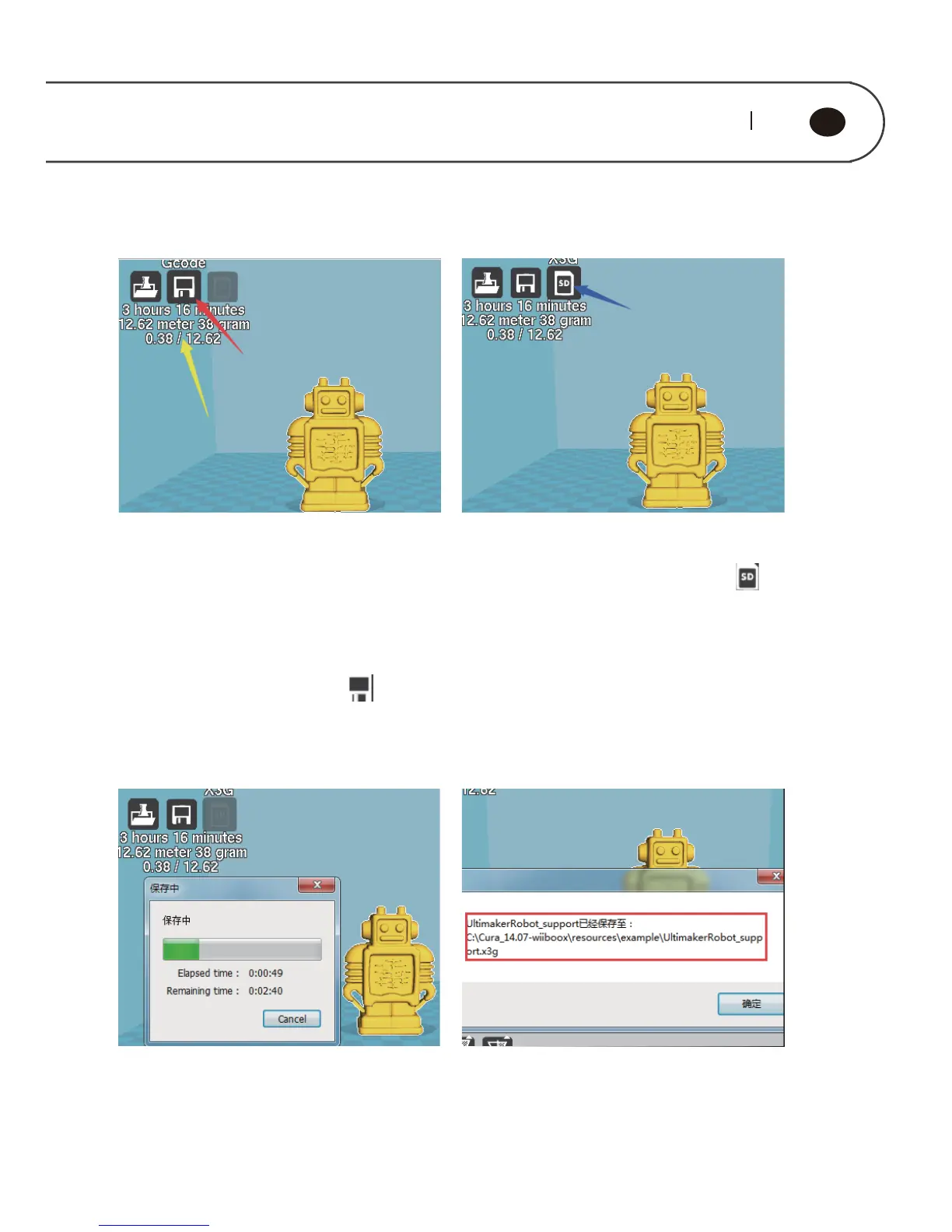
Yellow arrow refers to the data which is
result of model conversion, including
printing the time-consuming and
filament use volume. If the cost of
filament is set, it would display the
model cost. At this moment, the button
of save “ ” can be used, and click the
button the red arrow points, to generate
When the model generates code of
Gcode, the icon blue arrow points “ ”
is changed from grey to white, and it
indicates the button can be used, and
clicks the button to generate X3G file.
When x3g file is generated, it would pop
up the progress bar as shown in figure
above.
After x3g file is completed with save, it
would pop up the indication as shown in
figure above, namely it is x3g file storage
path.



 To Next Page