43 44
GB
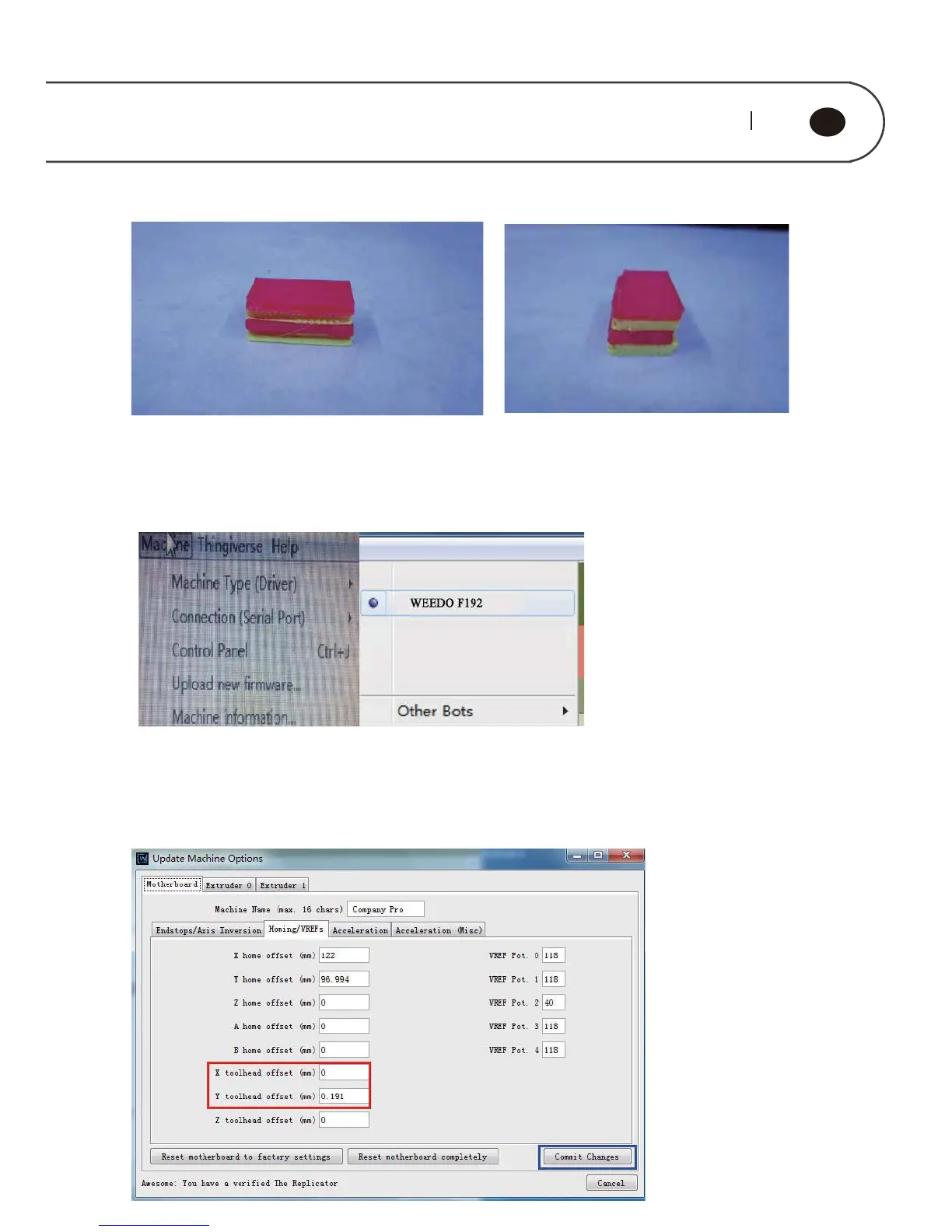
Offset adjustment steps:
Open the ReplicatorG printing software, select "Machine " → " Machine Type ( Driver
) " on the menu bar, then select a machine that matches your model.
Connect the printer to the ReplicatorG printing software, select "Machine " → "
Onboard Preferences" on the menu bar, and enter the interface for printer parameter
setting. Select "Homing / VREFs" option and adjust X toolhead offset and Y toolhead
offset value.



 To Next Page