EasyManua.ls Logo

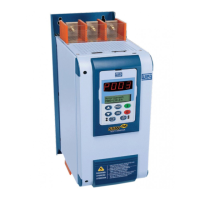
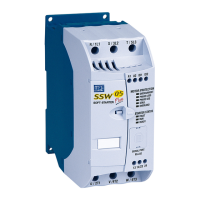
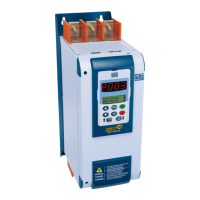
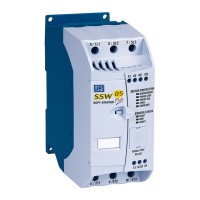
WEG SSW-07 - User Manual

WEG SSW-07
53 pages
Print Icon
To Next Page IconTo Next Page
Loading...
Soft-Starter
Arrancador Suave
Soft-Starter
SSW-07
Motors | Energy | Automation | Coatings
User's Guide
Manual del Usuario
Manual do Usuário

Table of Contents

Other manuals for WEG SSW-07

Questions and Answers

  • A
    Adam GlassSep 2, 2025
    What causes E71 error on WEG SSW-07?
    • J
      James BrownSep 2, 2025
      If the WEG Controller displays a flashing E71 error (LED Fault flashes 3 times, LED Ready off), it indicates an open internal bypass relay contact. This could be due to a loose contact in the starting cables of the Internal Bypass relays, defective Bypass relay contacts due to an overload, or an incorrect electronic supply voltage (only for SSW-07 models 255-412 A). Suggested solutions include power on, using the reset key, auto-reset, or DIx.
  • M
    Mathew GomezSep 1, 2025
    What to do if WEG Controller shows E77 error?
    • Q
      quinnkelseySep 1, 2025
      If the WEG Controller displays a flashing E77 error (Fault LED flashes 6 times, Ready LED is off), it indicates a closed bypass contact or shorted SCRs. This can be caused by a bad contact in the bypass cables, welded bypass contacts, a short-circuited thyristor, an input and output external short circuit, or a disconnected motor. Suggested solutions include power on, using the reset key, or DIx.
  • B
    Brandi Eaton MDAug 31, 2025
    Why is my WEG SSW-07 showing E70 undervoltage?
    • D
      David JosephAug 31, 2025
      If the WEG Controller displays a flashing E70 error (LED Fault flashes twice, LED Ready off), it signals an undervoltage in the control supply. This can happen if the electronics supply is lower than the minimum value, there's a loose contact in the electronics power supply, or the electronics power supply fuse has blown. Suggested solutions include power on, using the reset key, auto-reset, or DIx.
  • S
    Sheila HansonAug 30, 2025
    What does E19 mean on my WEG Controller?
    • R
      Robin ThompsonAug 30, 2025
      If the WEG Controller displays a flashing E19 error (Fault LED flashes 7 times, Ready LED is off), it indicates a short circuit in the SSW power. This can be caused by a short circuit in a thyristor or internal bypass relay, an external short circuit in parallel with the Soft-Starter power, or a defect in the current analog reading. Suggested solutions include power on, manual reset, using the reset key, or DIx.
  • J
    Joshua PattonAug 29, 2025
    Why does my WEG Controller motor not run?
    • C
      Charles HicksAug 29, 2025
      If the motor does not run with the WEG Controller, the problem may be due to: * Wrong wiring: Check all the power and command connections. For example: The DIx digital inputs programmed as enabling or external fault must be connected to AC supply. * Wrong programming: Check if the parameters are with the correct values for the application. * Fault: Check if the Soft-Starter is not blocked to a detected fault condition.
  • N
    Nicole McdonaldAug 28, 2025
    How to fix E67 incorrect phase sequence on WEG SSW-07?
    • S
      Sarah LeonardAug 28, 2025
      If the WEG Controller displays a flashing E67 (LED Phase Seq.), it indicates an incorrect phase sequence. This could be due to the network phase sequence being inverted at the input, a change in the supply network, or an incorrect motor connection. Suggested solutions include power on, using the reset key, or DIx.
  • H
    heathermaynardAug 27, 2025
    What does E72 on WEG SSW-07 mean?
    • Y
      Yolanda PerryAug 27, 2025
      If the WEG Controller displays a flashing E72 error (LED Fault flashes 4 times, LED Ready off), it indicates an overcurrent before the bypass. This can be due to the programmed acceleration ramp time being shorter than the actual acceleration time, the nominal motor current being higher than what the Soft-Starter can support, or a locked motor shaft (rotor blocked). To fix this, try power on, using the reset key, auto-reset, or DIx.
  • A
    Aaron SchmittAug 27, 2025
    Why is my WEG SSW-07 showing E63 stall flashing?
    • D
      Darrell GrantAug 27, 2025
      If the WEG Controller displays a flashing E63 error (LED Stall), it indicates a stall condition. Possible causes include a programmed acceleration ramp time shorter than the actual acceleration time, a locked motor shaft, or a transformer supplying the motor that's saturating and taking too long to recover from the starting current. Suggested solutions include power on, using the reset key, auto-reset, or DIx.
  • C
    Courtney RichardsAug 25, 2025
    What causes E62 start timeout on WEG SSW-07?
    • E
      Emily BlackAug 26, 2025
      If the WEG Controller displays a flashing E62 error (LED Fault flashes twice, LED Ready on), it indicates a start timeout during current limit starting. This can occur if the programmed acceleration ramp time is too short, the programmed current limitation value is too low, or the motor is locked (rotor blocked). To solve this, you can try to power on, use the reset key, auto-reset, or DIx.
  • J
    Joseph ParkerAug 25, 2025
    What causes E66 overcurrent flashing on WEG SSW-07?
    • S
      sarahcarlsonAug 25, 2025
      If the WEG Controller shows a flashing E66 (LED Overcurrent), it means there's too much current. This can happen because of a momentary motor overload or a locked motor shaft (rotor blocked). To resolve this, try power on, using the reset key, auto-reset, or DIx.

Summary

CHAPTER 1 SAFETY INSTRUCTIONS

CHAPTER 3 INSTALLATION AND CONNECTION

3.1 Mechanical Installation

Details physical installation procedures, mounting, and environmental conditions.

3.2 Electrical Installation

Covers wiring, connections, power supply, grounding, and control signals.

CHAPTER 4 SETTING THE SSW-07

4.1 Control Type Setting

Explains how to select and configure the motor starting method (e.g., Voltage Ramp, Current Limit).

4.4 Current Limit Setting

Guides on setting the maximum current during motor start to match load requirements.

4.7 Motor Current Setting

Adjusts the motor current value for accurate electronic overload protection.

4.8 Motor Electronic Overload Protection

Explains the motor's thermal protection features and how they simulate motor heating.

4.10 DI2 Digital Input Setting

Describes how to program the DI2 digital input for fault reset or three-wire control.

CHAPTER 5 PROGRAMMING INFORMATION AND SUGGESTIONS

CHAPTER 6 SOLUTION AND TROUBLESHOOTING

6.1 Faults and Possible Causes

Lists common fault codes, their causes, and troubleshooting steps.

6.2 Troubleshooting

Offers solutions for frequent operational problems and diagnostic checks.

WEG SSW-07 Specifications

General IconGeneral
Frequency50/60 Hz
Protection ClassIP20
Input Voltage380-480V
Output Voltage0-480V AC
Control MethodV/f Control
Bypass ContactorOptional
Protection FeaturesPhase Loss
CommunicationModbus RTU
Ambient Temperature-10°C to +50°C
Humidity5 to 95% RH, non-condensing

Related product manuals