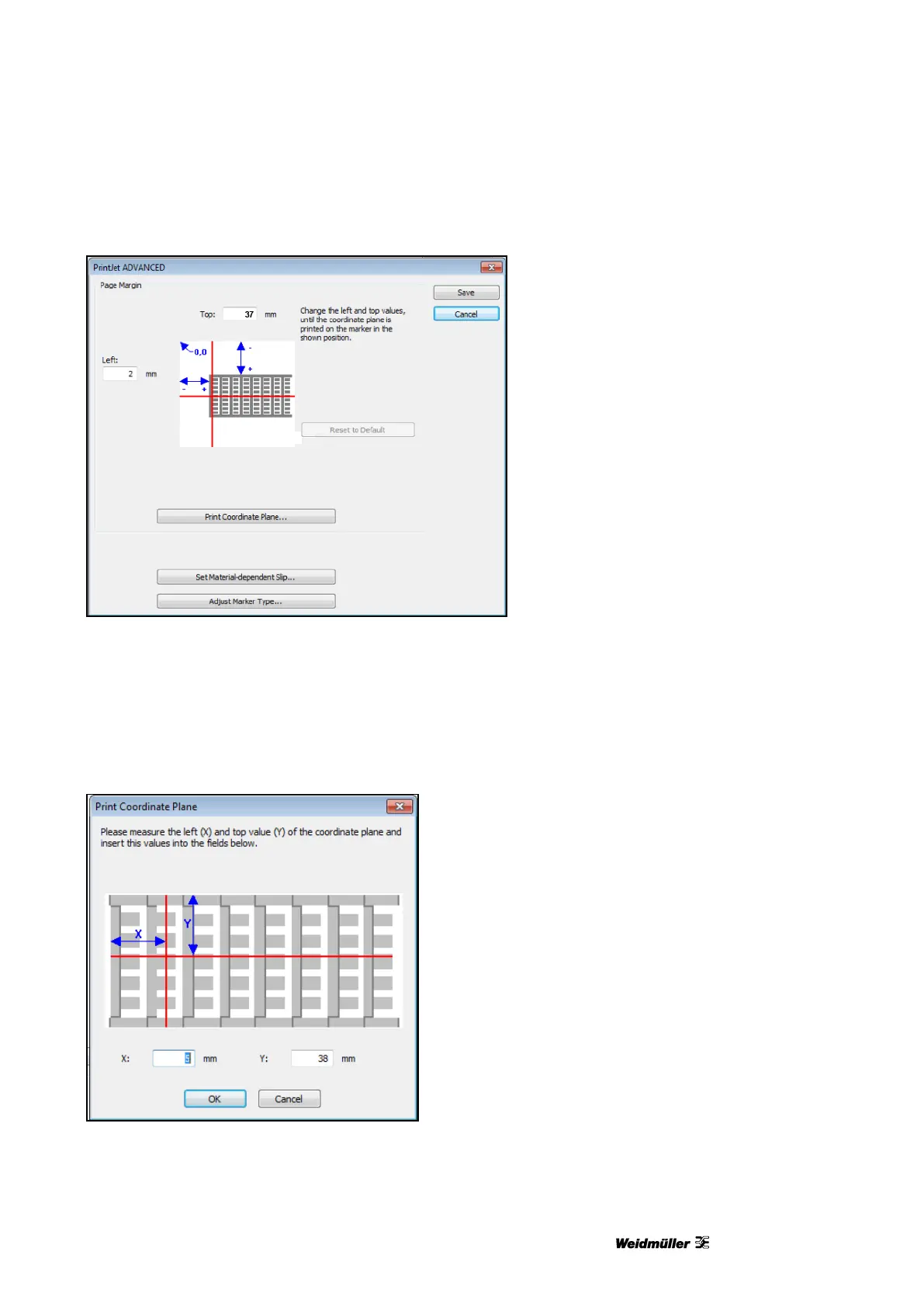
Figure 98 Coordinate plane
10 Insert, for example, a DEK 5/5 MC-10 NEUTRAL WS MultiCard in the printer (also see section “5.1.2
Inserting MultiCards/MetalliCards”).
11 Click the [Print Coordinate Plane] button.
12 Measure the X and Y values as shown below and enter them in the corresponding fields.
Figure 99 Measuring and entering values
The values that you enter automatically correct the side margins.


 To Next Page