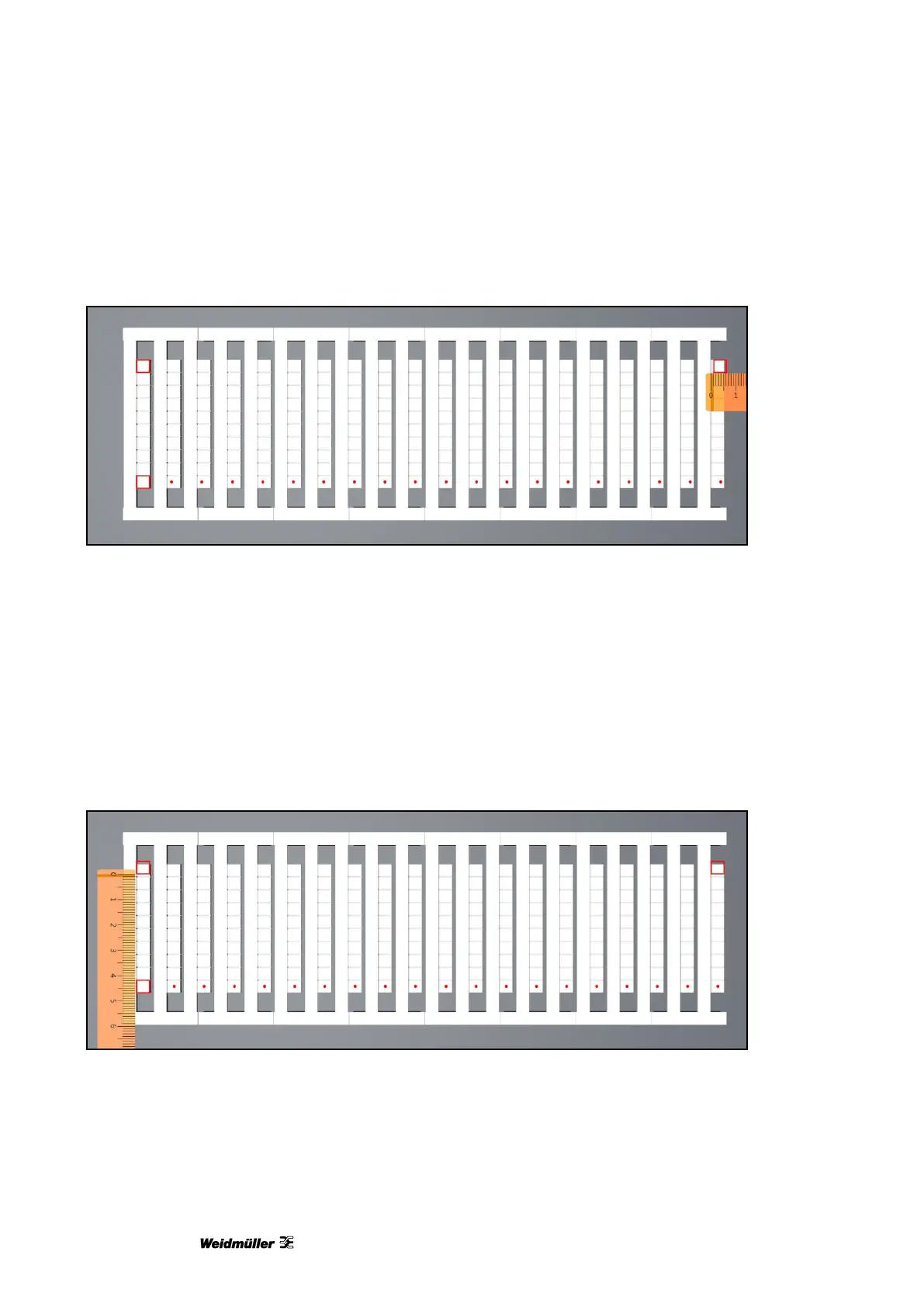
Figure 110 Adjusting the centering in the X direction
From marker to marker, printing is increasingly shifting from the center to the right.
To adjust this, it is necessary to subtract the measured value (1 mm in this example) from the actual value
for ‛Width (X)’ in the 'Adjust Marker Type' window (see Figure 105 Adjusting the marker type).
If printing is increasingly shifting, from marker to marker, from the center to the left, it is necessary to add the
measured value to the current value for 'Width (X)' in the 'Adjust Marker Type' window (see Figure 105
Adjusting the marker type).
Example of an incorrect height Y (adjusting the centering for all markers)
Figure 111 Adjusting the centering in the Y direction
From marker to marker, printing is increasingly shifting from the center upward.
To adjust this, it is necessary to subtract the measured value (1 mm in this example) from the current value
for ‛Height (Y)’ in the 'Adjust Marker Type' window (see Figure 105 Adjusting the marker type).



 To Next Page