Manual R06-2016 91 / 172
ROTARY INDEXING TABLE CONTROLLER
EF2...B
OPERATION / DESCRIPTION OF WEISS SOFTWARE | 8.3 Machine configuration
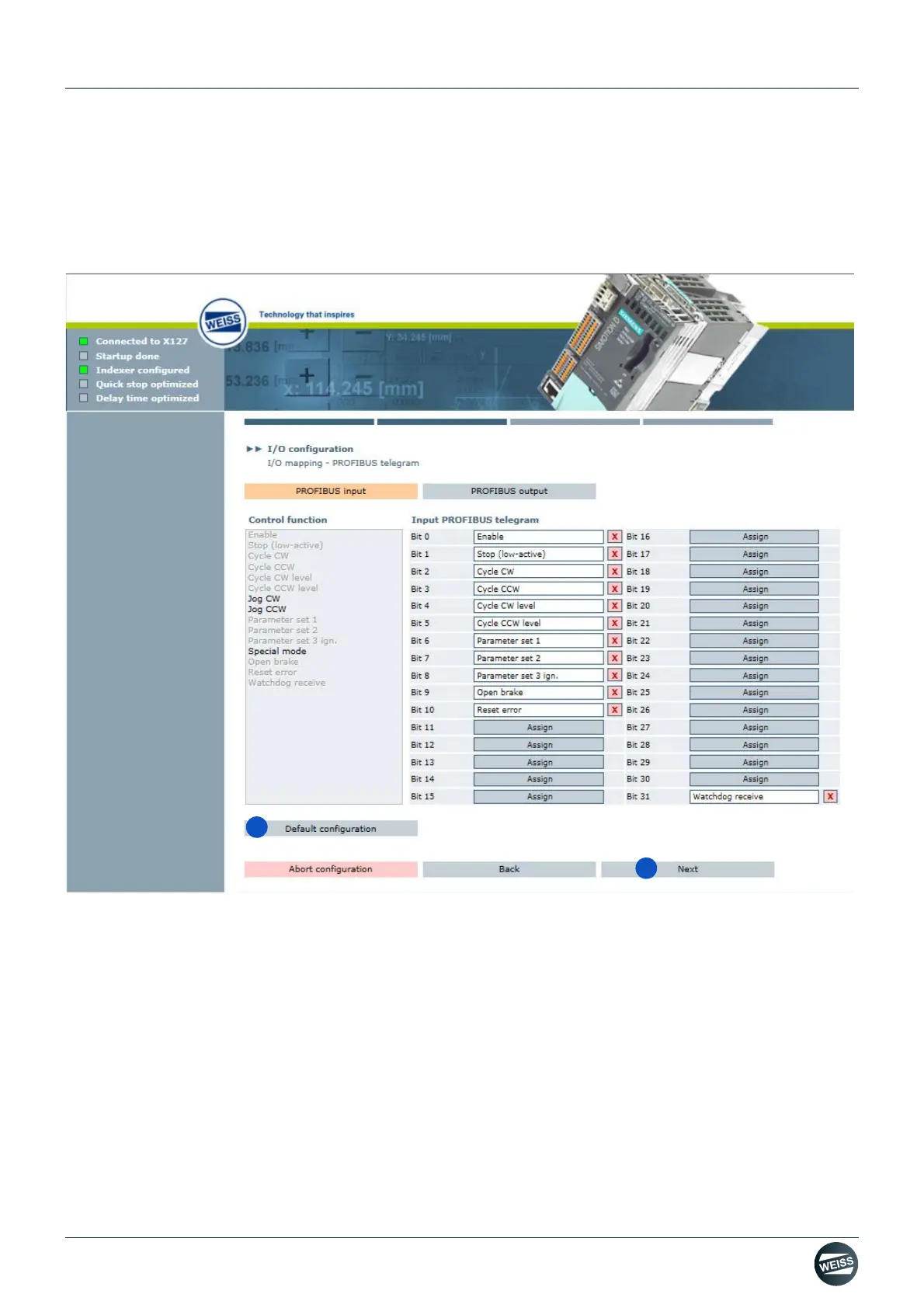
Default configuration I/O mapping:
➱ Inputs and outputs are assigned to the control functions which are defined as default.
➱ Individual assignments can be deleted or changed.
➱ Functions displayed in grey in the "Control functions" selection field are already assigned, those displayed in
black can still be assigned.
Fig. 57: Default configuration I/O mapping PROFIBUS
7. Select default configuration.
8. Click the Next button.
➱ The window for I/O configuration - Data mapping is opened.
A default configuration can be used for the data mapping. Alternatively, a manual assignment is possible.



 To Next Page