Manual R06-201692 / 172
ROTARY INDEXING TABLE CONTROLLER EF2...B
OPERATION / DESCRIPTION OF WEISS SOFTWARE | 8.3 Machine configuration
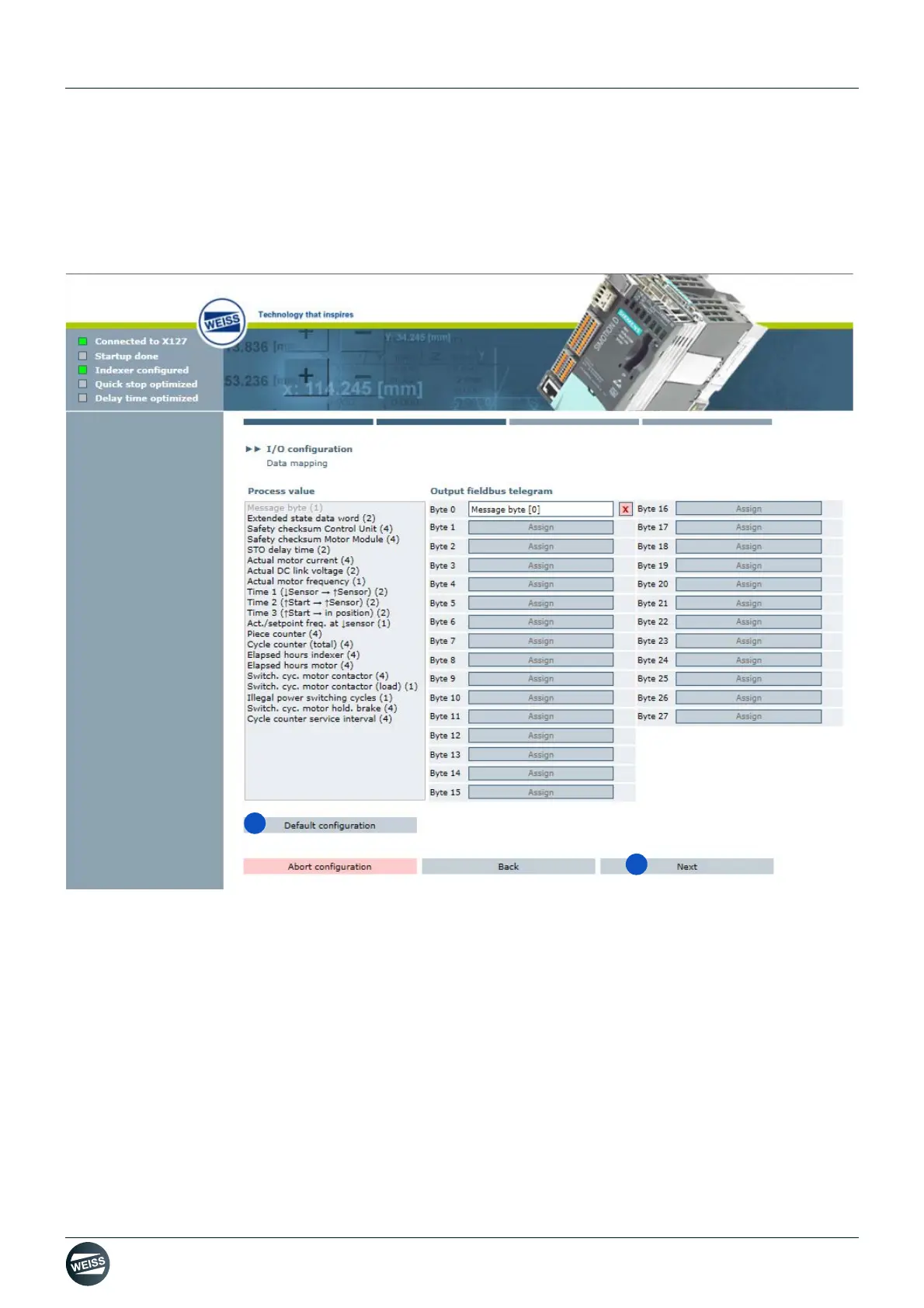
Default configuration data mapping:
➱ Inputs and outputs are assigned to the control functions which are defined as default.
➱ Individual assignments can be deleted or changed.
➱ Functions displayed in grey in the "Control functions" selection field are already assigned, those displayed in
black can still be assigned.
Fig. 58: Default configuration data mapping PROFIBUS
9. Select default configuration.
10.Click the Next button.
➱ After the Next button has been clicked, a comment box appears.
For a description of the comment box, refer to chapter 8.3.5.3 „Comment regarding I/O configuration data file“
on page 106.
By clicking on the Next button in the comment box, the I/O configuration is completed and the window
for adjusting the system time is opened.
(see chapter „Adjust system time“ on page 93)



 To Next Page