11
WAS.handling Windows – Program
4.2.2 Build drive sequences
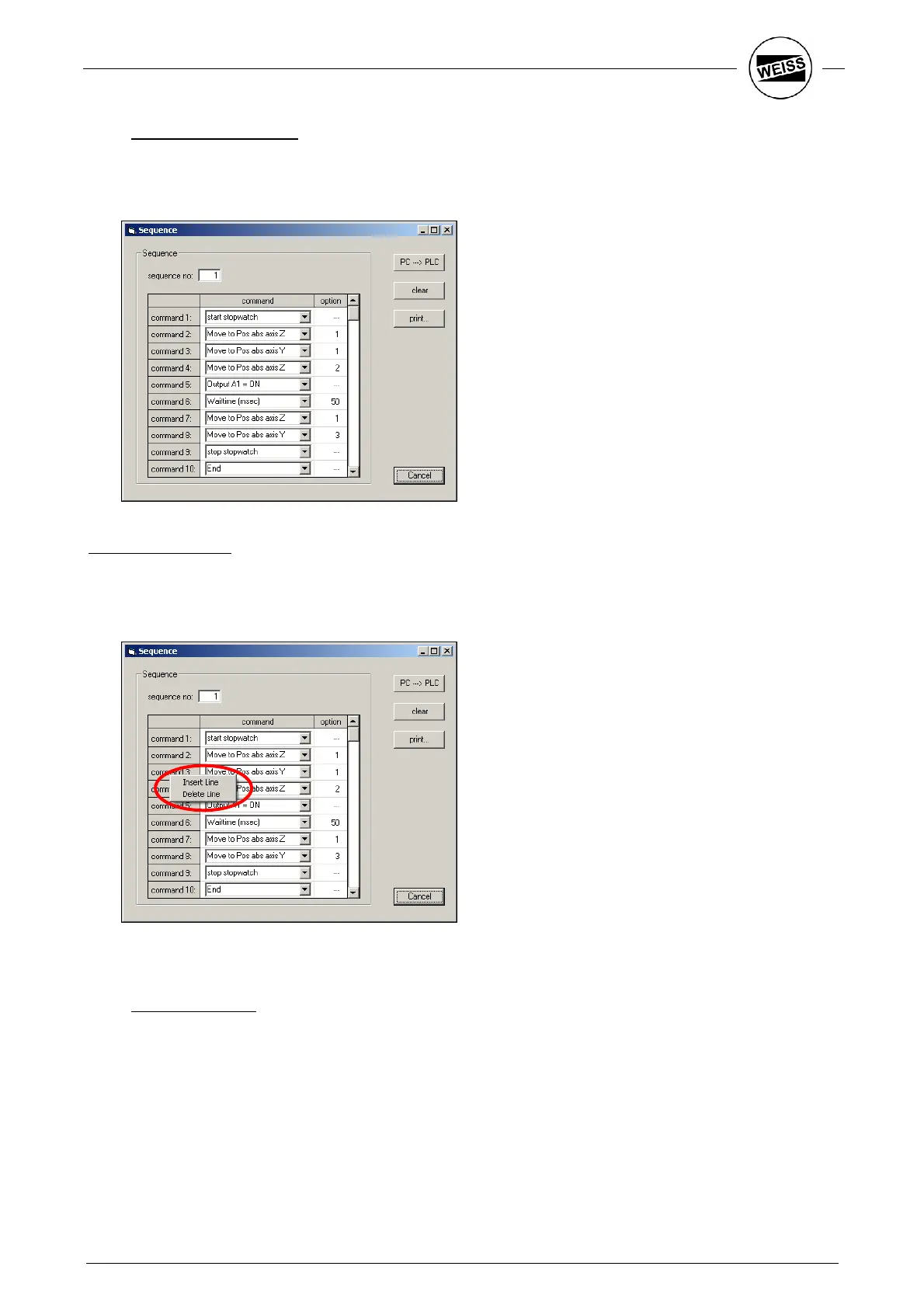
Save drive sequences using the menu item Program -> Sequences. A sequence consists of a sequence of
commands. 32 drive sequences can be saved. Each drive sequence may consist of a maximum of 32
commands.
Building a sequence:
1. Enter sequence number (number between 1…32).
2. Enter commands 1...32. (see below on how to select commands)
3. Save sequence to PLC (PC PLC)
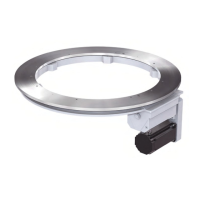
Right-clicking on the “Command xx” column displays a menu to add or delete rows.
4.2.3 Demo sequence
The difference between the demo sequence and a drive sequence is that the demo sequence is
automatically restarted. It must be terminated explicitly with STOP.
The dialog to edit the demo sequence can also be opened using Program -> Sequences. This dialog holds all
important functions to operate the HP140. The demo sequence was mainly designed for presentations.


 To Next Page