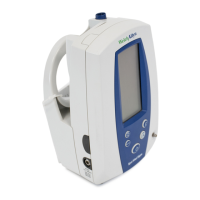
Spot Vital Signs 27
Power On/Off and System Check Procedure
Each time the Welch Allyn Spot Vital Signs is turned on, the unit performs an internal self-diag-
nostic check.
To turn the unit on, press the green Power button.
Upon power up, all the LCD segments in each display turn on briefly and a beep sounds. If the
internal self-check is successful, the displays assume their normal functions and the device is
ready for operation. If the self-check fails, an error code is shown in the display.
To turn the unit off, press the green Power button.
Note that turning the unit off erases stored blood pressure, temperature, SpO
2
, and pulse
rate data.
Standby Mode
When the device is powered up, but has not been used for 2 minutes, it goes into standby mode.
“Z Z Z” appears across the top of the display with no backlight. Standby mode conserves bat-
tery power.
To bring the Spot Vital Signs out of standby mode, press the Mode button.
Temperature Measurement Range Indicators
The high and low measurement ranges of the temperature module are as follows:
High Measurement Range: 109.4
°
F43
°
C
Low Measurement Range: 86
°
F (Monitor Mode) 30
°
C
94°F (Predictive Mode) 34.5°C
IMPORTANT: There is no audible tone to indicate that the temperature is outside the measure-
ment range of the device. There is a visual indicator only.
The following display appears when temperatures are outside of the measurement range of the
device:
Condition Temperature Display
Temperature is outside of high measure-
ment range of the device
Fahrenheit
Celsius
109.4°
⇑
49° ⇑
Temperature is outside of low measure-
ment range of the device
Fahrenheit
Celsius
86° ⇓
30° ⇓



 To Next Page
 Loading...