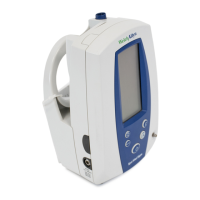
30 Welch Allyn
Wrap the cuff snugly with room between the cuff and the arm for two fingers. Excessive tight-
ness may cause venous congestion and discoloration of the limb. Possible error may occur if the
cuff is wrapped too loosely, preventing proper inflation.
It is best to place the cuff on a bare arm. Clothing interferes with measurement accuracy.
When wrapping the cuff, observe the mark on the cuff that is placed over the artery. Insure that
the hose is not twisted, kinked or compressed, as this may cause measurement errors.
Manual Blood Pressure Measurement
To initiate blood pressure measurements on demand:
1. Insure that the blood pressure cuff is properly sized and wrapped around the patient’s upper
arm (or alternate site, as necessary).
2. With the device powered on, press the Blood Pressure Start/Stop button.
The Spot Vital Signs inflates the cuff to the appropriate level.
3. The systolic display shows the pressure in the cuff as the blood pressure determination is in
process.
4. When the measurement cycle is complete, the systolic, diastolic and pulse rate
*
are
displayed.
5. The blood pressure reading is displayed for 2 minutes, then disappears (unless another
measurement is active). Pressing the Mode button on the Spot Vital Signs front display recalls
the blood pressure reading.
6. Pressing the Blood Pressure Start/Stop button again at any time during a blood pressure
determination aborts the measurement and rapidly deflates the cuff.
* Pulse rate, as determined from the blood pressure measurement method, is displayed with the
BP reading only if the SpO
2
option is absent or disabled. If the SpO
2
function is operational, all
pulse rate determinations are a result of the SpO
2
measurement method.
Reviewing Information from the Last Cycle
The Spot Vital Signs holds the last patient vital signs data (blood pressure, pulse rate and/or tem-
perature and/or SpO
2
) in memory. The information is held in memory until the unit is turned off,
or you initiate the next patient’s measurement. If the display is blank, press the Mode Button to
review data from the last vital signs measurement. The most recently obtained data appears in
the appropriate displays.



 To Next Page
 Loading...