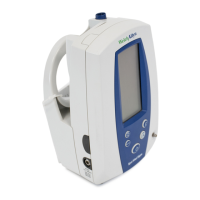
32 Welch Allyn
To place the Spot Vital Signs into Monitor Mode, remove the probe from the probe holder and
take either oral, axillary, or rectal predictive temperature. When the predictive temperature is dis-
played, press the Mode button down once, making sure the position of the probe doesn’t
change. The thermometer switches from Normal mode to Monitor mode. An “M” appears on
the temperature display to indicate that the thermometer is in Monitor Mode. When taking a
Monitor mode temperature, maintain probe contact with the tissue for at least 3 minutes for oral/
rectal temperatures, and 5 minutes for axillary temperatures.
The Spot Vital Signs does not
save the Monitor mode temperature
. Verify and record this temperature before placing the
probe back in the probe holder.
If the thermometer is in Normal mode, you may easily switch to Monitor mode without taking a
predictive temperature first. To do this, remove the probe from the probe holder, attach a new
probe cover, and wait one minute (do not place probe in patient’s mouth, underarm or rectum at
this time). After one minute, the thermometer automatically switches to Monitor mode and an
“M” is displayed. You may now proceed to take the patient’s temperature. After the probe is
replaced in the holder, the device reverts back to Normal temperature mode.
Taking an Oral Temperature
To take an oral temperature:
1. Insure that the oral probe is connected to the unit. The oral probe is BLUE. Accurate oral
temperatures are obtained only by using the blue temperature probe.
2. Remove the probe from the probe holder. A short self-test mode is initiated where every LCD
segment on the temperature display is illuminated briefly. Following this self-test, the display
shows “OrL” indicating the oral probe is in use.
3. Once “OrL” is displayed, load a probe cover onto the
probe by holding the probe collar with the thumb and
forefinger, careful not to hold or press the ejection button.
Ejection
Button



 To Next Page
 Loading...