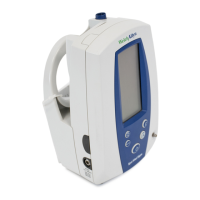
Spot Vital Signs 47
Battery Removal and Replacement
If necessary, replace the internal battery after heavy use. When the battery no longer charges,
remove it and replace it with a battery with the same part number. To replace the battery:
1. Insure the AC power transformer cord is disconnected from the Spot Vital Signs and that the
device is turned off.
2. Use a phillips-head screwdriver to remove the 4 screws holding the battery door. Remove the
battery door and expose the battery.
3. Tip the Spot Vital Signs and slide the battery out. Disconnect the in-line connector and discard
the old battery per local regulations. Re-connect new battery to unit connector as quickly as
possibly to prevent loss of power to the unit and subsequent loss of clock time.
4. Attach the battery connector to the
new battery as shown:
5. Slide the new battery into the
battery compartment as far as it
will go. Do not push the connector
down into the case or lay it flat
next to the battery. The relief
pocket in the battery door
purposely provides sufficient
clearance for the battery
connector.
6. Replace the battery door,
tightening each of the 4
screws.
7. Connect the AC power
transformer to the Spot Vital
Signs and allow the new
battery to charge for
approximately 16 hours. It is
possible to use the Spot Vital
Signs during this charging
period.
8. If an E38 error code is
displayed when the device is
owered on, refer to section
“Changing the Time/Date Set”
on page 26.
The battery is a non-spillable lead-acid battery. In the USA, call 1-800-SAV-LEAD for instructions
on how to recycle. For International users, contact your local authorities on recycling.
In-Line
Connector
Relief
Pocket
Battery
Connector
Battery



 To Next Page
 Loading...