CMP201D User Guide
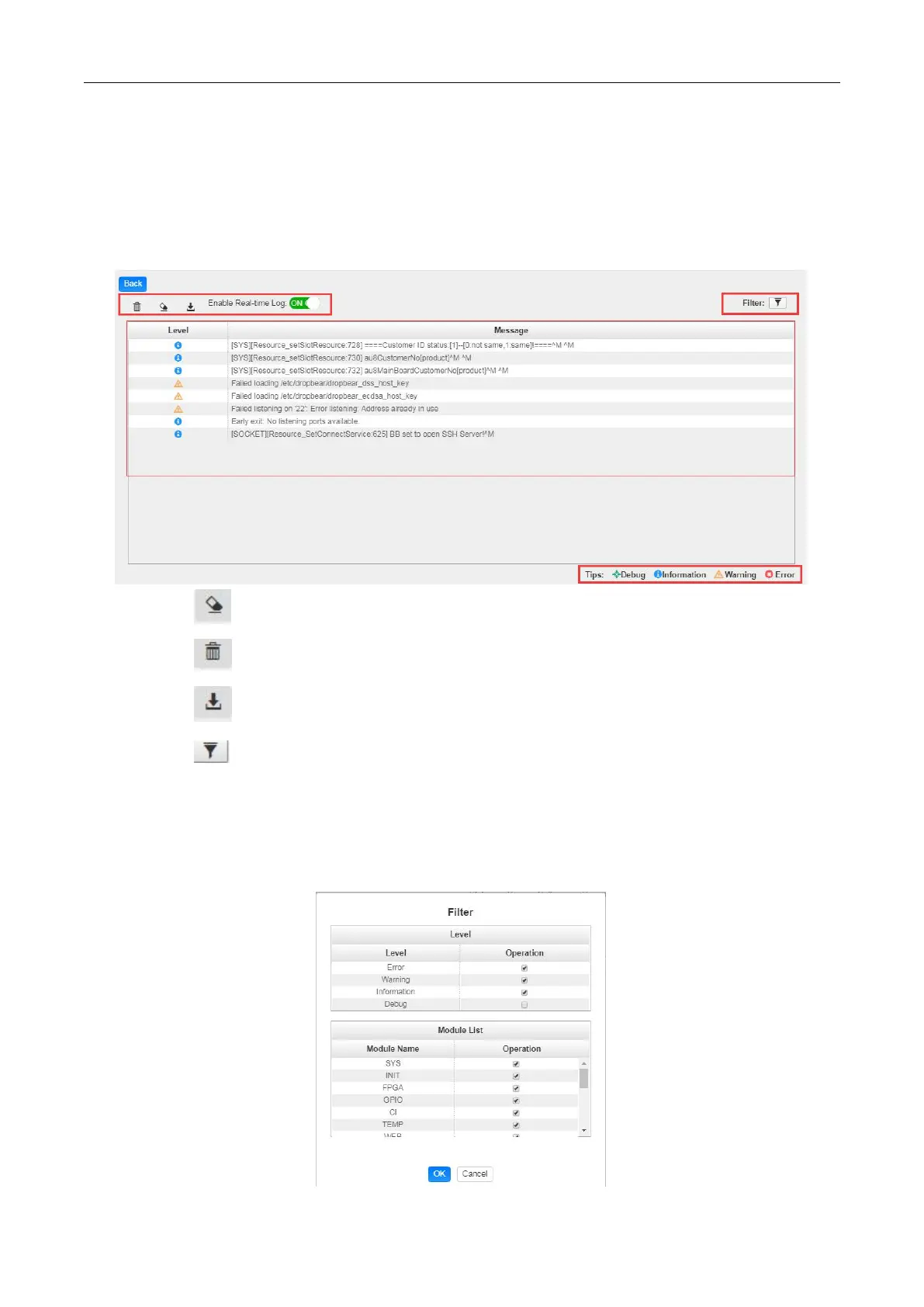
Log Manage> This page shows the logs of the module. If there are issues encountered on this
module, exporting the logs will help R&D team to analyze and fix them.
Turn on Enable Real-time Log switch, see the real time log messages and the security level of each
message below.
Click to clear all log messages on the screen.
Click to delete all log information.
Click to export log information.
Click to filter desired log messages.
Clicking the filter icon, you can simply select what logs to be included.


 To Next Page