CMP201D User Guide
To use Multiplexing mode at service level:
1. Click on (pencil) icon. There will always be a BaseBoard selection for the IP output and
other Output options depending on the module inserted.
2. Select the correct Output and Channel you want to output the service to.
Check Multiplex on the channel you want to output to. You can output multiple services to one
channel or output one service to multiple channels.
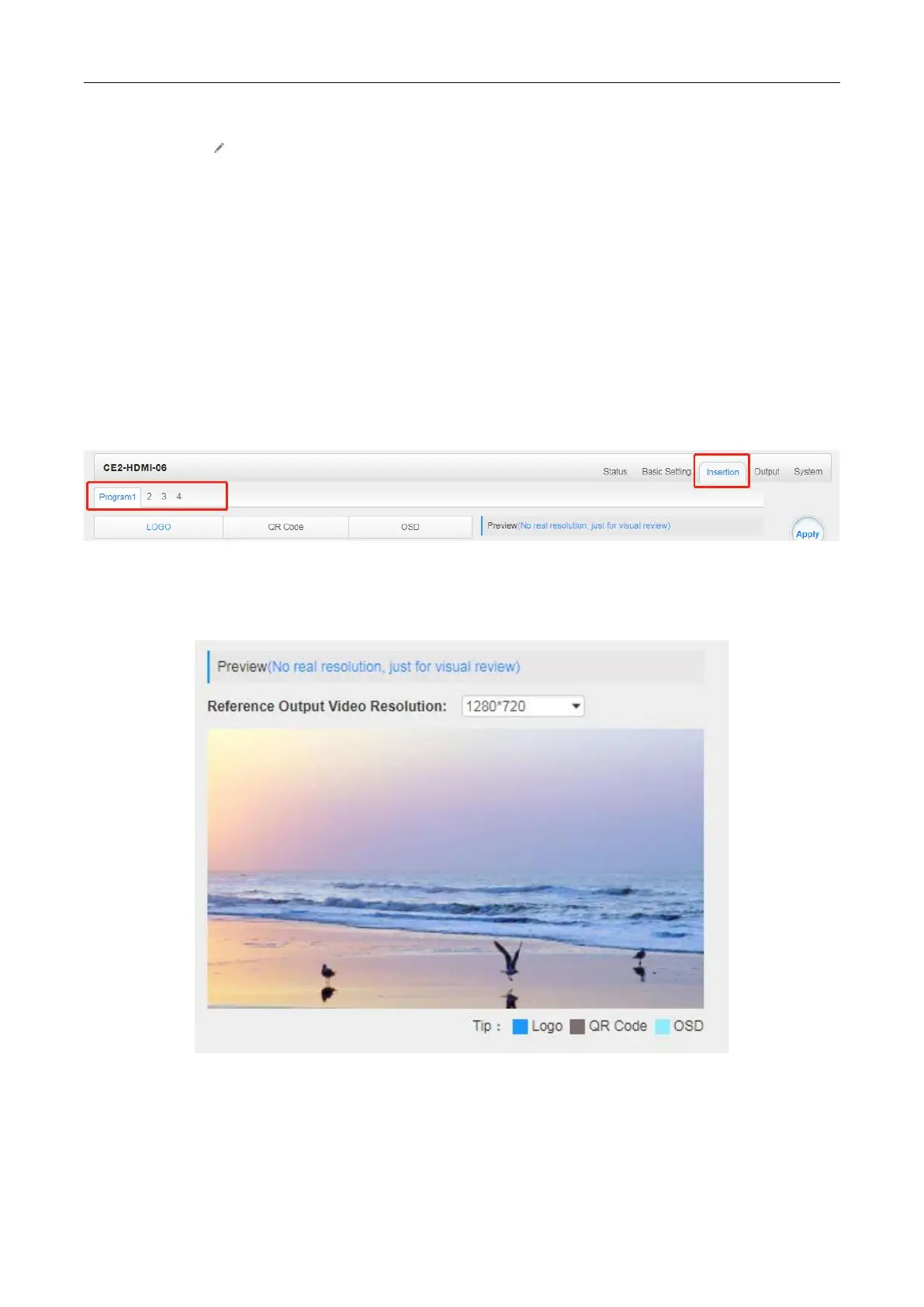
CE2-HDMI-06 >Insertion
You should choose program first before you set Insertion.
You can preview the effect or make adjustment after you set Insertion.
LOGO setting: you can upload several pictures at the same time, and pick one to show on the
screen. Click the box in the picture to choose it.


 To Next Page