i12 Manual Page 36 - Revision: 6-13-2023
Water Dispensing Spout Cleaning Method
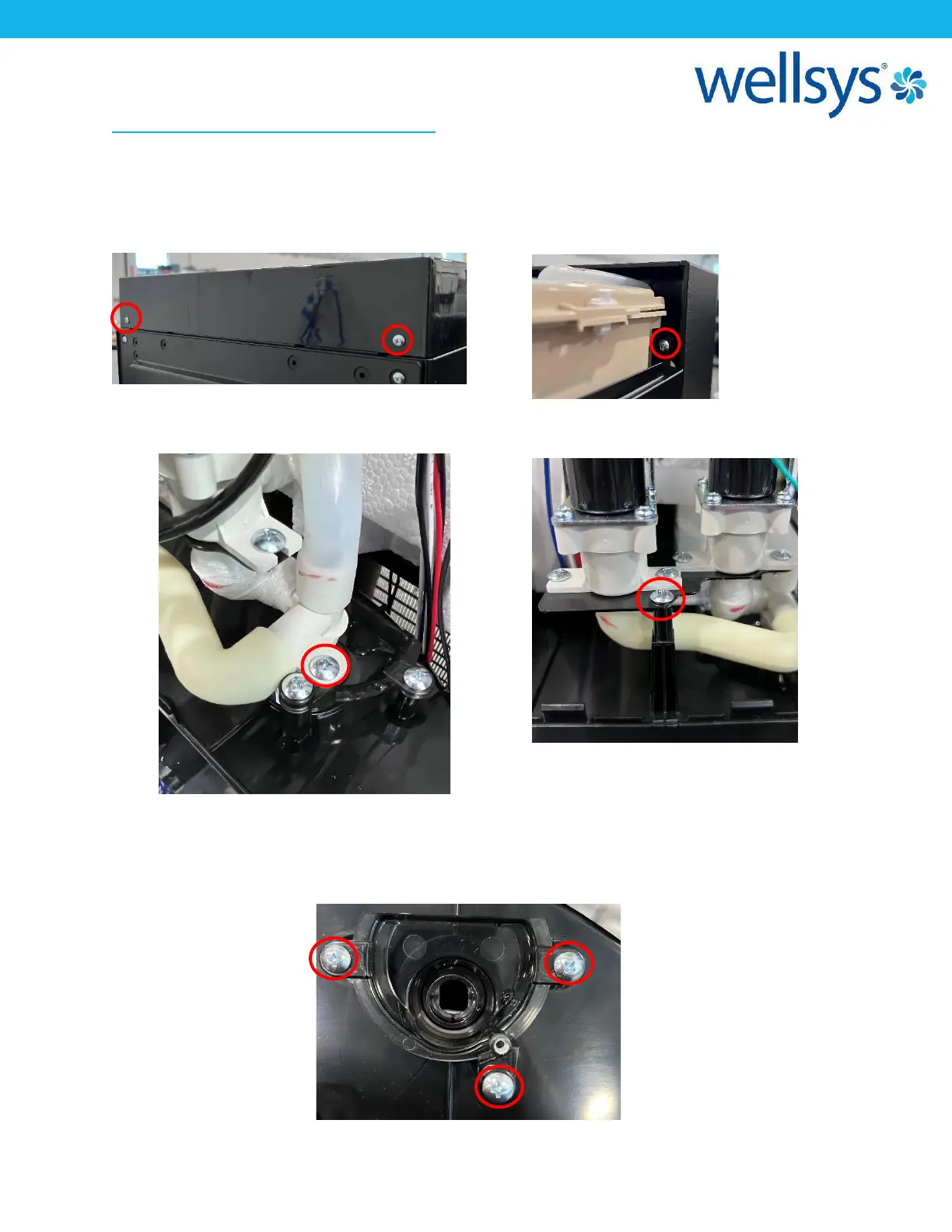
1. First, remove the two screws at the back of the top cover and remove by sliding the cover
towards the back and lift away. There are two screws behind the top corners of the front
upper panel, remove these. Lift and pull the front panel away from machine, and place on
top temporarily.
2. Locate the two screws holding the Dispense nozzle assembly in place and remove them. Pull
the nozzle assembly out of the Dispense Spout and push aside.
3. Remove the three screws holding the Dispense Spout to the Panel. Remove the Spout.
Clean the Dispensing Spout with a soft cloth or sponge, hot running water, and an approved
cleaning agent. Dry off. Reinstall the Dispense Spout and reassemble the unit.


 To Next Page