ATA Web user guide
33 / 114 2015/1/8
Step 2: When receiving a new incoming call, LP399 will forward to this number [Forward
Number: 812345678] automatically.
Busy (Busy Forward)
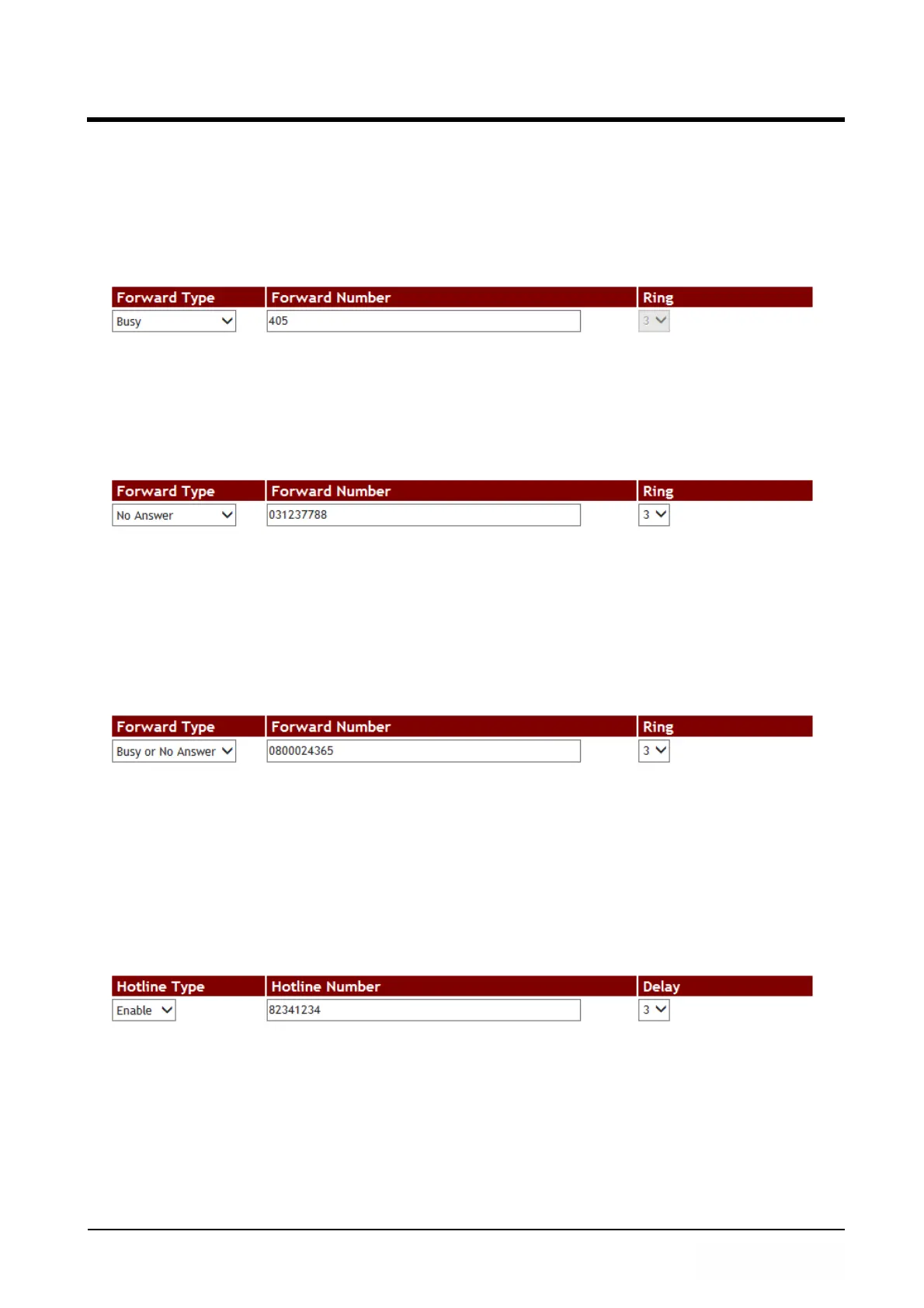
Step 1: In [Call Service Setting] web page, Setup [Forward Type: Busy, Forward Number:
405] (See Figure 2).
(Figure 2)
Step 2: When LP399 is busy, it will forward to [Forward Number: 405] automatically.
No Answer (No Answer Forward)
Step 1: In [Call Service Setting] web page, Setup [Forward Type: No Answer, Forward
Number: 031237788, Rings: 3] (See Figure 3).
(Figure 3)
Step 2: When LP399 rings 3 times and nobody answer the phone, it will forward to
[Forward Number: 031237788].
Busy or No Answer (Busy Forward & No Answer Forward)
Step 1: In [Call Service Setting] web page, Setup [Forward Type: Busy or No Answer,
Forward Number: 0800024365, Rings: 3] (See Figure 4).
(Figure 4)
Step 2: When LP399 rings 3 times and if nobody answer the phone or the phone is busy,
it will forward to [Forward Number: 0800024365]
Example 2: Hotline Feature
Example 2: Hotline Feature
Dial SIP Account
Step 1: In [Call Service Setting] web page, Setup [Hotline Type: Enable, Hot Line
number: 82341234, Delay: 3] (See Figure 5).
(Figure 5)
Step 2: When picking up LP399 phone and wait for 3 seconds delay time, it will dial to
[Hot Line number: 82341234] automatically.
Dial IP Address
Step 1: In [Call Service Setting] web page, Setup [Hotline Type: Enable, Hot Line
number: 192.168.50.4, Delay: 3] (See Figure 6).



 To Next Page