11
O
eration Manua
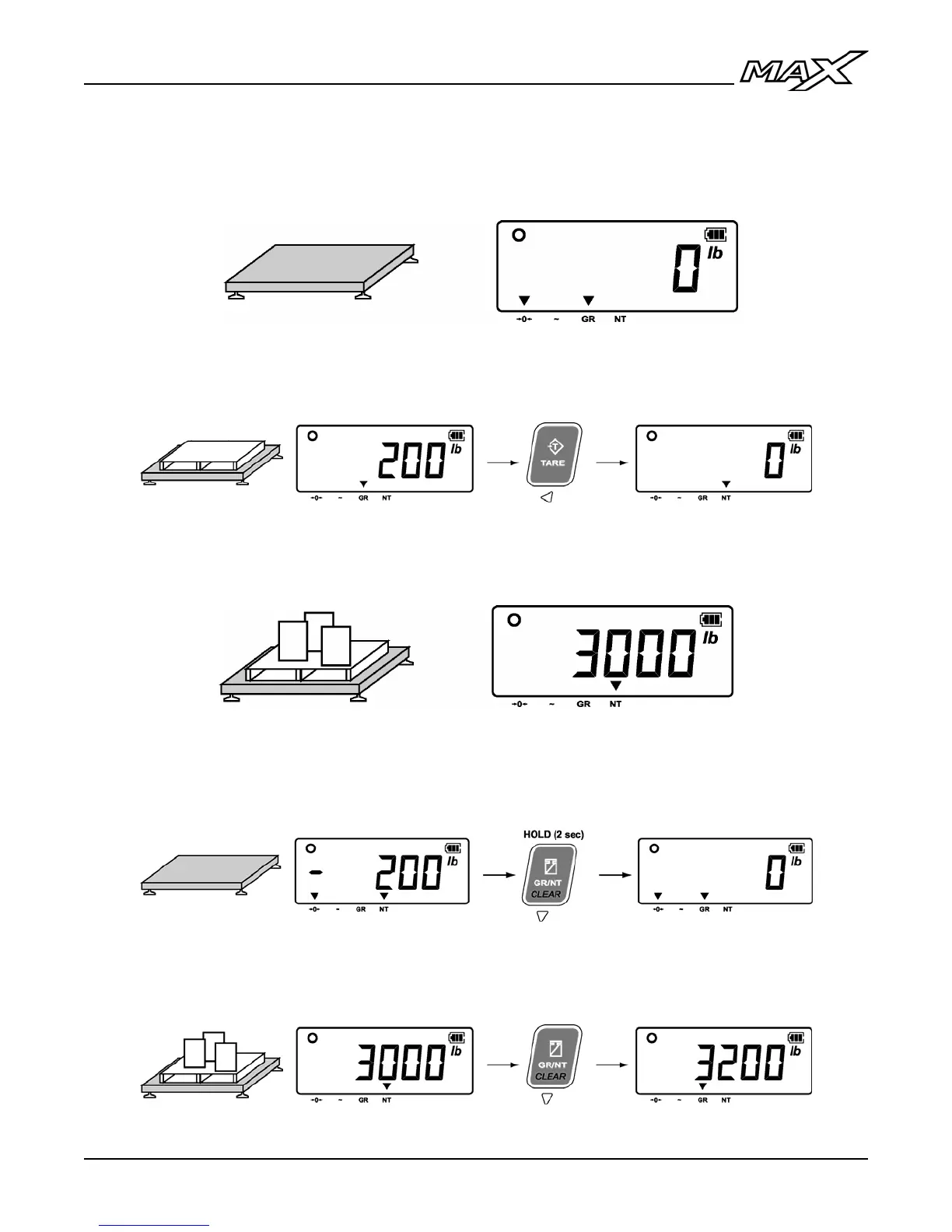
Weigh Using a Tare (Containers, Pallets, etc.)
1. Ensure the weighing platform (scale) is empty and the indicator reads ‘0’.
2. Load the container on the scale and press the TARE key. The indicator
will read ‘0’ and the NT annunciator (net weight) will be illuminated.
3. Load commodities into the container on the scale and read weight data on
the indicator.
4. To clear the tare, remove all weight from the scale. Press and hold the
CLEAR key until the indicator reads ‘0’ and the GR annunciator (gross
weight) is illuminated.
5. To view the gross weight when the scale is in net mode without clearing
the tare, press the GR/NT key.



 To Next Page