14
Di
ital Indicato
Livestock Shrinkage
The MAX features a livestock shrinkage program to compensate for potential
“weight loss” experienced during transport.
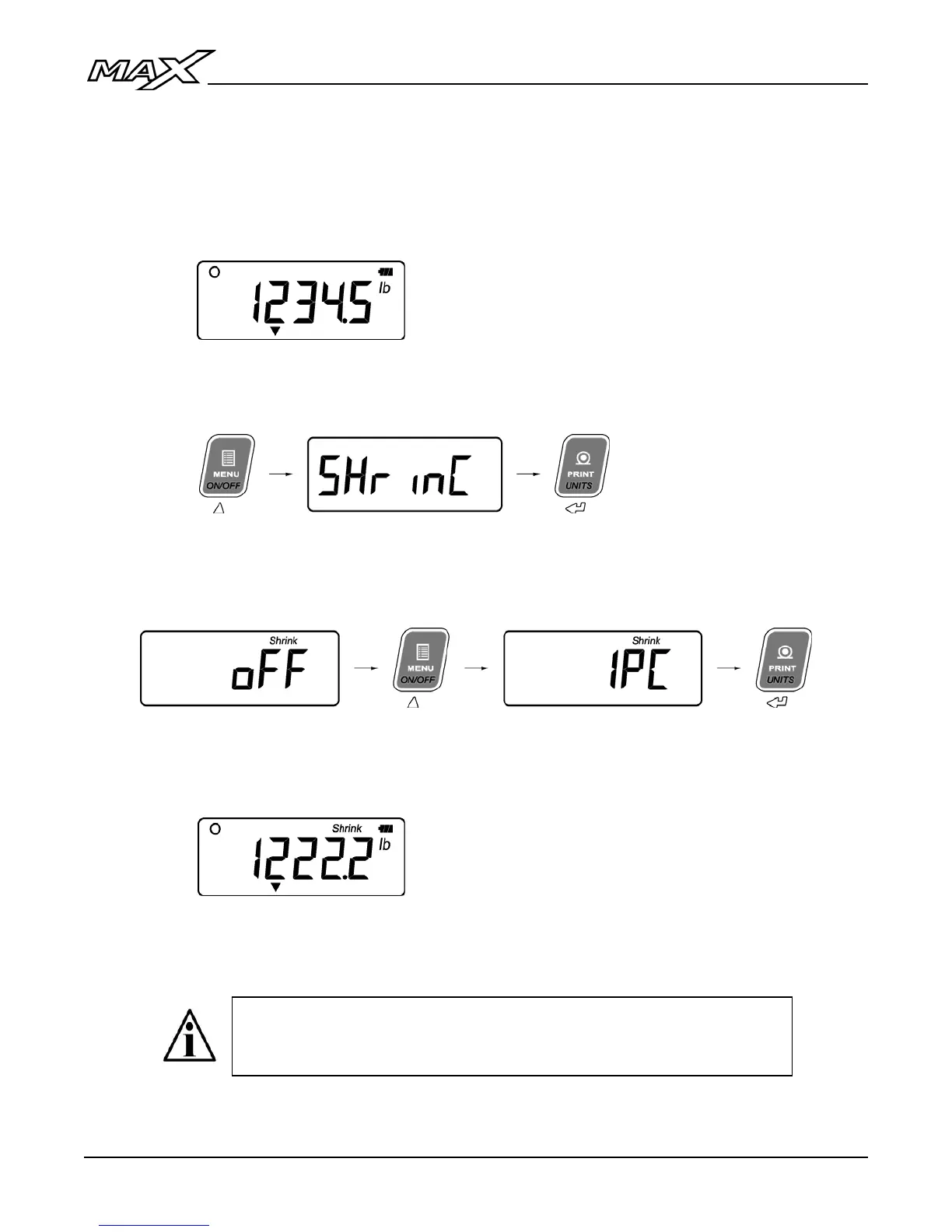
1. Load the livestock on the scale. The actual weight is displayed.
2. Press the MENU key until “SHrinC” is displayed. Press ENTER to
confirm.
3. Use the UP & DOWN ARROW keys to select the percentage to be used
for shrinkage (1 to 5%).
4. The display will show the shrinkage weight (actual weight minus the
percentage) and the “Shrink” annunciator will be illuminated.
5. To return to actual weight, set “SHrinC” to “OFF”. The “Shrink”
annunciator will be turned off.
The Shrinkage option will appear in the User Menu after the
tickets if enabled in Calibration Mode by qualified Technicians. If
not enabled, it will not appear in the User Menu at all.



 To Next Page