Instruction for use Examination and treatment table Easy Care
** Depending on model and configuration
D2151_01 - 09/2017 23/38
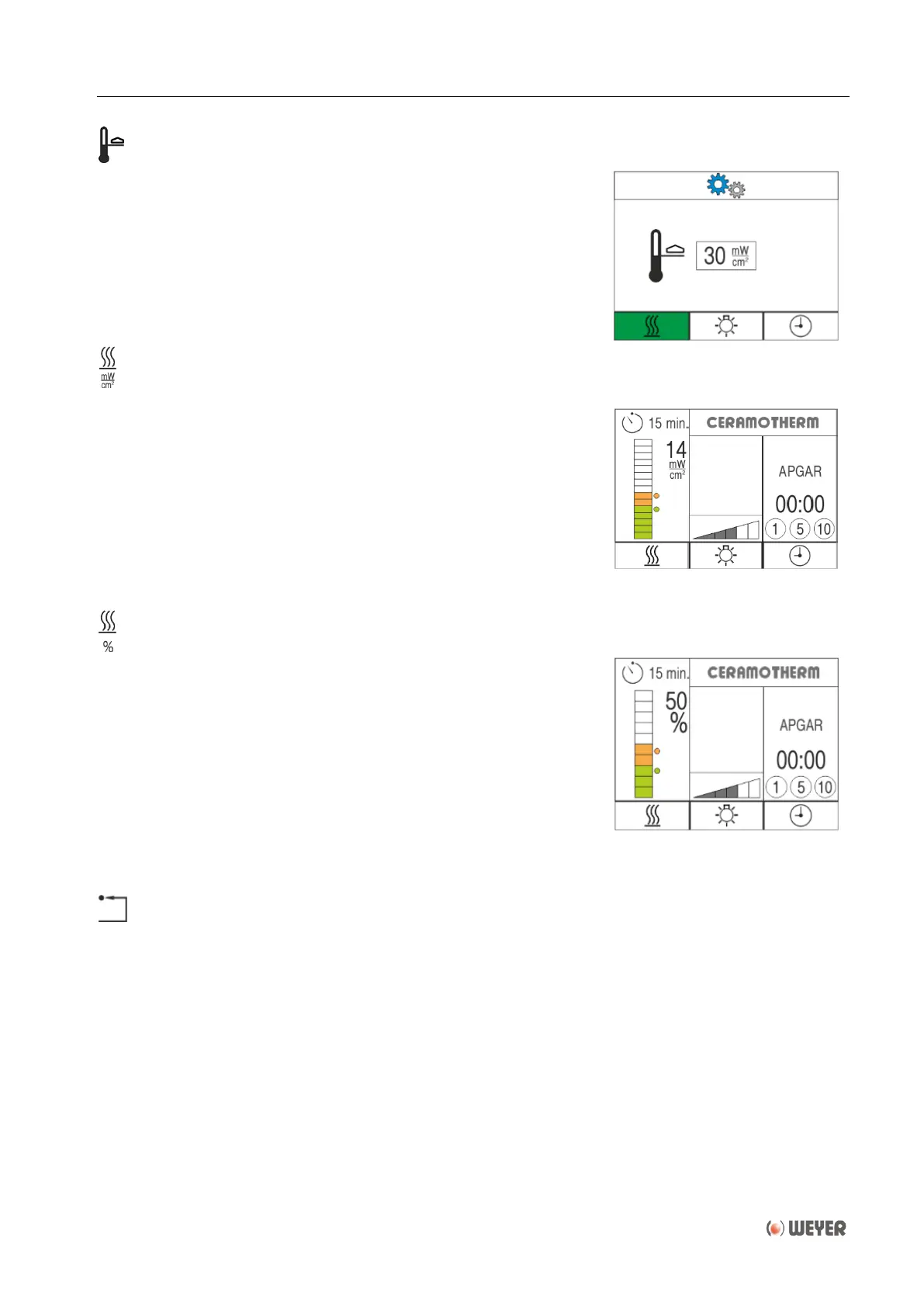
Adjustment of the maximum value
The maximum selection range of the heating can be limited by
turning the rotary push-button (5). Pushing the rotary push-
button saves the adjusted maximum value.
The adjustment range is 10 to 30 mW/cm² respectively 40 to
100%.
After confirmation the display will return to the main menu.
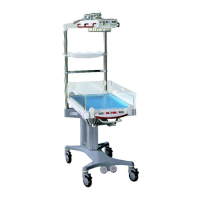
Change over to manual operating mode [mW/cm²]
By selecting and confirming this menu item with the rotary push-
button (5) the operating mode is changed to manual mode
[mW/cm²].
After selecting this mode the setting and display are indicated in
mW/cm², which corresponds to the factory setting.
Refer to chapter 6.6 ff - Radiant warmer.
After confirmation the display will return to the main menu.
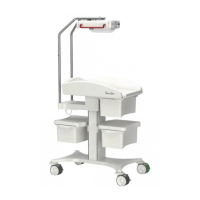
Change over to manual operating mode [%]
By selecting and confirming this menu item with the rotary push-
button (5) the operating mode is changed to manual mode [%]“.
After selecting this mode, the setting and display are indicated in
[%] of the maximum possible heating capacity, in steps of 10%.
As the factory setting [mW/cm²] also this mode provides a safe
and an extended range of the heating capacity.
Operation is the same as decribed in chapter 6.6 ff – Radiant
warmer, however, the selection and display will be in [%],
instead of [mW/cm²].
After confirmation the display will return to the main menu.
Reset of the heating adjustment to factory settings
After confirmation the display will return to the main menu and
the heating adjustments are reset to factory settings.
- Manual operating mode [mW/cm²].
- Default value 10 mW/cm².
- Maximum value 30 mW/cm².


 To Next Page